

Fix One-Page Anchor Links and Headings Hidden by the Menu
Why do one-page website links land in the wrong place?
On this page
Why do one-page website links land in the wrong place?
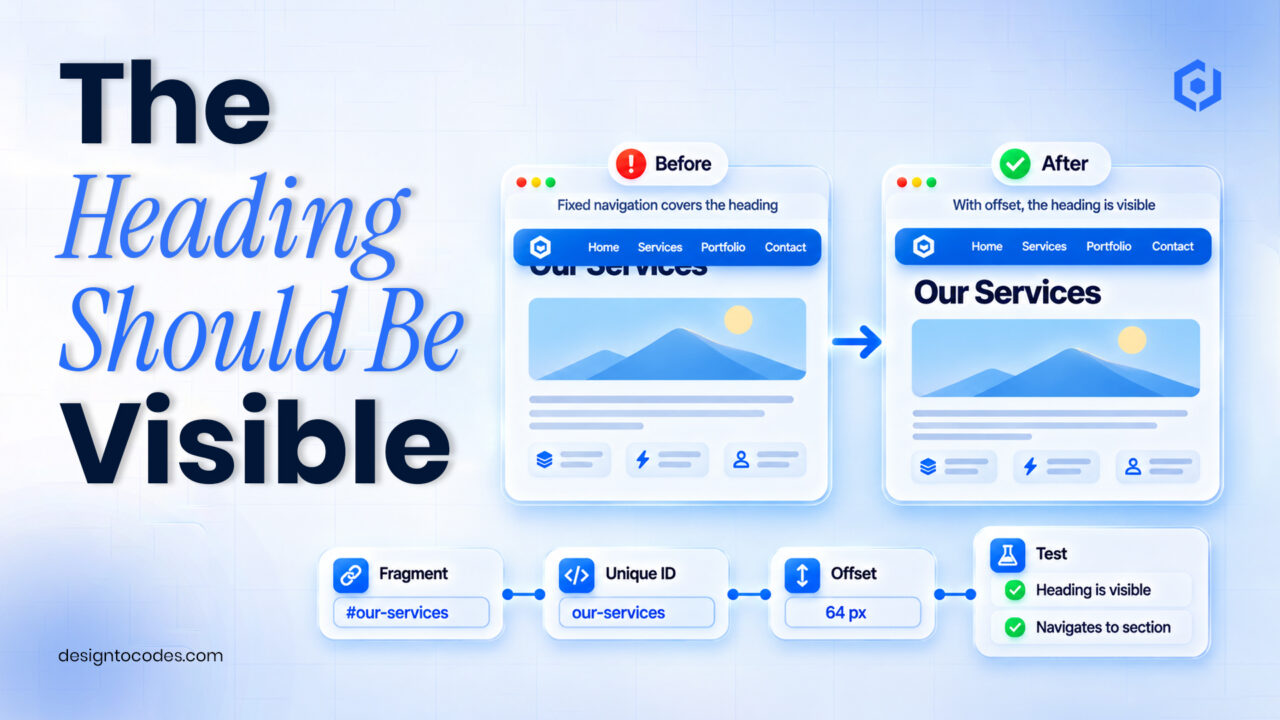
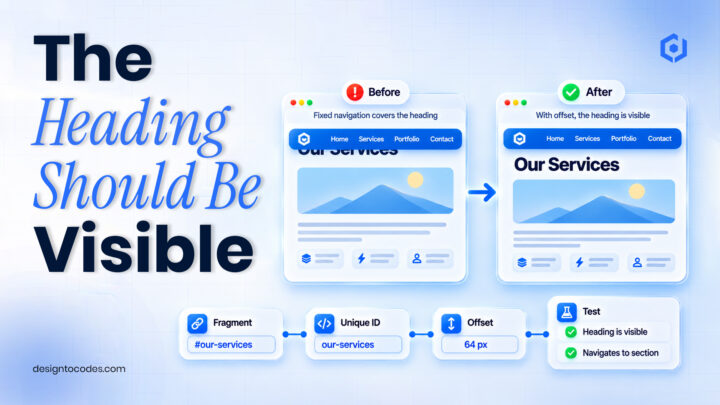
Check that each navigation link names an existing, unique section ID, then check whether a fixed header covers the destination. A correct hash can still appear broken when the target is hidden beneath the menu. Test the published URL directly and through the navigation before adding a custom scrolling script.
One-page portfolios depend on these small routes. A visitor presses Projects or Contact expecting to reach the named information. A misspelled fragment, duplicate section ID or overlaying menu turns an otherwise attractive page into a guessing exercise.
This guide diagnoses section links on one-page sites. The existing WordPress navigation guide covers broader menu structure, and the redesign URL-map guide covers page moves. A section hash and a separate page URL need different checks.
Identify which failure you actually have
| Symptom | First check | Likely repair to investigate |
|---|---|---|
| URL changes but nothing useful appears | Target ID exists and matches | Correct the link or section identifier |
| Browser reaches the section but its heading is hidden | Fixed/sticky header overlap | Add an appropriate scroll offset |
| Some links reach the wrong repeated block | Duplicate IDs | Give each destination a unique identifier |
| Menu works on desktop but not a phone | Mobile menu state and target | Test the actual mobile control and destination |
| A shared section link fails on another page | Whether the link needs a page path | Use the correct page-plus-fragment destination |
Record the expected section and the final address for each navigation item. A click animation is not enough to establish that the destination works. Also check whether the section contains the content promised by its label.
Step 1: build a section-link map
List the public page URL, visible menu label, target ID and section heading. Use short, meaningful IDs that remain stable when cosmetic headings change. Avoid assigning the same ID to a desktop section and a separate mobile copy.
For a link on the same page, a fragment such as #projects can identify the section. From a different page, the destination may need the page path as well. Test both the clicked link and the complete shared URL in a fresh browser tab.
Step 2: correct the target before changing scroll behavior
| Menu item | Intended target | Check on the published page |
|---|---|---|
| Projects | A unique projects section | The heading and relevant project links are visible |
| Services | A service explanation | The section matches the offer named in the menu |
| About | A meaningful introduction | The visitor can understand your role and scope |
| Contact | The real contact route | The action and destination are understandable |
| Back to top | A defined top destination | It returns to the intended page opening |
If the fragment is incorrect, fix that first. A custom script that searches for a nonexistent target will not solve the content map. If IDs are generated by a visual editor, inspect the published result and use the platform’s supported section-link controls.
Step 3: account for a fixed header
A fixed header can cover the top of a section after the browser scrolls to it. In a coded implementation, the CSS property scroll-margin-top can supply space above the target. Choose an offset based on the actual header and check it at the relevant screen sizes.
For example, a small demonstration page can give its target sections a scroll margin while keeping ordinary hash links. This is an illustrative starting point, not a universal offset for every template:
.page-section {
  scroll-margin-top: 6rem;
}
Check whether the mobile header is taller or whether the menu remains open after selection. A large offset can create its own confusing gap. Test the visible heading, not just the browser’s scroll position. For a Framer project, use its supported link/scroll arrangement and verify the published behavior rather than assuming this CSS selector applies to its generated structure.
Step 4: test keyboard use and motion preferences
Navigation should remain usable without relying on a pointer hover. Check the focus indication on links and whether a mobile menu can be opened and closed through its intended controls. If you add smooth scrolling, respect visitors who request reduced motion; MDN documents that media preference.
Do not add several competing scroll libraries to solve one offset problem. Begin with the browser’s normal link behavior and add only the behavior the project needs. If a component intercepts link clicks, test that the final address and browser Back behavior still make sense.
Worked example: the Contact heading behind the menu
This is a fictional portfolio scenario. A designer’s Contact menu item points to the correct section. The browser changes the hash, but the fixed navigation covers the heading and first field. The owner initially assumes the link is failing.
The check confirms one matching ID and a correct destination. The implementation adds a tested offset for the actual header, then verifies the desktop and phone views. The mobile menu closes correctly and the contact heading remains visible after selection.
The recorded result is successful section navigation in those tested conditions. It is not a claim that inquiries increased, and it does not establish that the form delivers messages. The existing contact-form guide owns that separate delivery test.
Use the navigation test to assess a one-page candidate
Keep a working one-page site when a target or offset correction solves the problem. If the content needs separate service or case-study pages, check that requirement before selecting another one-page layout. The redesign URL-mapping guide covers retaining page destinations during a larger change.
When evaluating NextGenAppsPro Next.js, run the Projects-to-Contact route on a phone, open a shared fragment URL and check the visible destination. Confirm the exact package’s page structure and contact-processing setup. It is distinct from the similarly named free HTML/Bootstrap product. A freelancer should also establish editing and deployment ownership for handoff. DesignToCodes sells this template.
Frequently asked questions
Should a section link use a new page slug?
Not when the destination is a section on the current page. Use the appropriate page and fragment, and keep the distinction clear in your navigation map.
Why does the hash change but the heading remain hidden?
The target may be beneath a fixed header. Inspect the target and its visible position before changing the link.
Can two sections share the same ID?
Use unique IDs for intended destinations. Repeated desktop/mobile blocks should not make one hash ambiguous.
Do anchor links need JavaScript?
Ordinary hash links work without a custom scroll script. Additional behavior should solve a specific verified requirement.
Does reaching Contact prove the form works?
No. Navigation and message delivery are separate checks; verify receipt through the configured form system.
Review the paid NextGenAppsPro Next.js edition’s navigation.
Related reading
Sources and platform references
Recent Posts




Recent Blogs
From the Journal
Why do one-page website links land in the wrong place?
- Nov 13, 2026
- 1:02 PM
Why do portfolio images look blurry after publishing? Check the
- Nov 10, 2026
- 11:36 AM
What should a SOC analyst portfolio case study show? Show
- Nov 06, 2026
- 7:11 PM
How do you organize a multidisciplinary design portfolio? Organize the
- Nov 03, 2026
- 6:04 PM