

Multidisciplinary Design Portfolio: Organize Projects Clearly
How do you organize a multidisciplinary design portfolio? Organize the
On this page
How do you organize a multidisciplinary design portfolio?
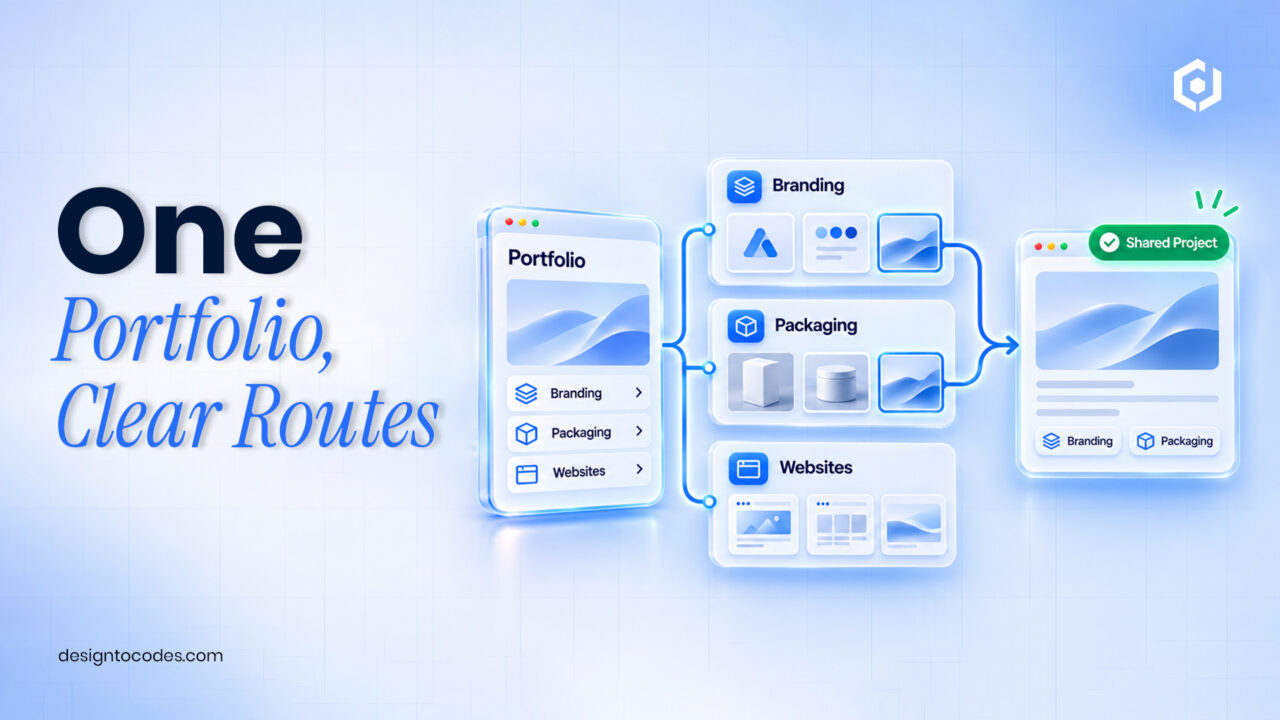
Organize the portfolio around the work a client needs to commission, then use a small set of clear project categories to help them find relevant evidence. Keep each project at one stable URL, explain your contribution and show related work without making visitors navigate separate copies of the same case study.
A designer who does branding, packaging and digital work does not necessarily need three websites. The challenge is helping a packaging client find the right projects without hiding the designer’s wider capabilities. A homepage containing every discipline in the same undifferentiated grid leaves that decision to the visitor.
This guide builds a project taxonomy and navigation test. The existing graphic-designer portfolio guide covers the overall site and case-study story. Here, the task is arranging work across disciplines. DesignToCodes sells related templates; the planning example below is fictional and makes no claim about client acquisition.
Choose category labels a client can understand
| Labeling approach | What a visitor can infer | When to use it |
|---|---|---|
| Branding, packaging, websites | The kind of work available | Clients approach you with a deliverable in mind |
| Food, culture, technology | Experience in a sector | Sector knowledge genuinely changes the buying decision |
| Identity systems, launch campaigns | A broader project outcome | The case studies explain the scope behind the label |
| Experiments, selected work | The status of the material | The distinction is clearly explained |
| Internal abbreviations or clever names | Often very little without context | Replace them or supply an immediately useful explanation |
Pick the primary classification before adding filters. A project can have secondary attributes, but a first-time visitor should not need to understand your entire taxonomy to find relevant work. Avoid a long list containing categories with only one weak example.
Step 1: inventory the projects you can actually show
List the project name, your role, deliverables, available evidence and publication permission. Decide whether it belongs in the selected portfolio now. An incomplete or restricted project may need further preparation rather than a prominent homepage card.
Write one sentence answering who would find the project relevant. For example, a fictional food-brand identity project could help a founder looking for a packaging system. This is more actionable than classifying it only as “creative.” Keep factual outcomes separate from aspirations: completed work is evidence of delivery, while a sales increase needs an actual measurement record.
Step 2: build a project-to-category map
| Project record | Primary category | Secondary context | Card promise |
|---|---|---|---|
| Fictional food-brand identity | Branding | Packaging applications | See how the identity works across the range |
| Fictional exhibition website | Websites | Cultural organization | Understand the event-information structure |
| Fictional packaging refresh | Packaging | Existing brand retained | See the packaging decisions and your contribution |
| Self-directed type experiment | Experiments | Clearly labelled personal work | Explore a design exercise rather than a client result |
Use the map to spot ambiguity. If every project belongs in every category, the categories are not helping. If a project spans disciplines, give it one canonical case-study page and describe the additional work there. Different category listings can link to that same page.
Choose a small set of featured projects for the homepage based on the work you want to be hired for and the evidence you can explain. There is no universal project count that guarantees results. A clear selected-work route matters more than filling a template’s sample grid.
Step 3: make the card and destination agree
Give the project card a meaningful name and a short description of the work. The destination should deliver the case study promised by the card, not an unrelated gallery or a blank page awaiting content. Put role and scope near the beginning so a visitor can distinguish your contribution from the team’s.
Choose image crops that help visitors identify the project. A tightly cropped decorative detail can work as supporting imagery but may be a poor category-navigation signal. Check the same card on a phone: title length, image crop and action should remain understandable with your real content.
When the work has no available demo, use the existing portfolio-without-a-live-demo guide. That article handles evidence substitution; this article handles project organization. Do not hide a missing destination behind an attractive hover animation.
Step 4: add filters only when they reduce effort
Start with a useful unfiltered selected-work list. If visitors need to narrow a larger collection, add the most relevant category control and a clear way to return to all work. A filter should not be the only route to understanding your specialty.
For a CMS-based Framer implementation, its collection-list documentation describes repeated content, while dynamic-filter guidance explains available controls and empty states. Check the actual project before assuming those structures are included in a purchased template. A Next.js implementation needs its own content model and filtering behavior.
Test the empty result as well as the successful result. Explain that no projects match the selected combination and provide a reset. Do not let a blank space look like a failed page. Visitors should still be able to reach your service explanation and contact route without manipulating every filter.
Worked example: one designer, two client routes
This is an illustrative planning example. A designer offers brand identities and websites. The old portfolio starts with twelve mixed images whose titles do not identify the work. A potential website client must open several projects to discover which are websites.
The revised brief uses Branding and Websites as the primary categories, with a selected-work view available by default. Each card states the deliverable and links to one stable project page. A branding project that also included a small website stays on one case-study URL, where the scope is explained accurately.
The designer asks two unfamiliar reviewers to find a relevant project for a named brief. Their observations are recorded as navigation feedback, not a claim that the redesign increased sales. Confusing labels are revised before adding more interface controls.
Choose a portfolio you can maintain
A designer maintaining their own portfolio needs an ordinary project update to be manageable. A freelancer delivering the site also needs a clear handoff: who edits project text, who publishes changes and who maintains the implementation?
Inspect Grafik Framer if you want to evaluate a visual editing workflow. Inspect Grafik v2 Next.js if someone will maintain code and deployments. Test your category map and one complete case study against the exact preview; confirm included pages and CMS structure rather than assuming the two editions match.
Use the existing portfolio selection guide to shortlist formats. Compare the purchase price with hosting, editing and setup work. For client delivery, check the license and obtain written clarification of any uncertain client-use terms. If the existing site supports your project map, reorganizing it may be enough. DesignToCodes sells the linked templates.
Frequently asked questions
Should each design discipline have a separate website?
Only when the audiences and operating needs justify it. Clear project categories and service descriptions can support several related disciplines on one site.
Can one project appear in several categories?
Yes. Link the listings to the same useful case-study URL rather than publishing duplicate versions solely for each category.
Are filters necessary for a small portfolio?
Often a short selected-work list and clear labels are enough. Add filtering when it helps visitors find relevant evidence.
What should a project card say?
Identify the project and the kind of work. Make the destination deliver that promise, with your role and scope explained.
What should I measure after reorganizing the portfolio?
Check task completion, relevant project visits, received qualified inquiries and paid work separately. Filter clicks alone do not establish a better business outcome.
Review Grafik Framer’s preview for your project categories.
Related reading
- Graphic-designer portfolio structure
- Choose a free or paid implementation
- Compare portfolio product formats
Sources and platform references
Recent Posts



Recent Blogs
From the Journal
How do you organize a multidisciplinary design portfolio? Organize the
- Nov 03, 2026
- 6:04 PM
Should a service website use a quote calculator or a
- Oct 31, 2026
- 2:13 PM

How do you map URLs before a website-template redesign? List
- Oct 31, 2026
- 1:38 PM

How can you present a portfolio project without a live
- Oct 23, 2026
- 12:30 PM