

On this page
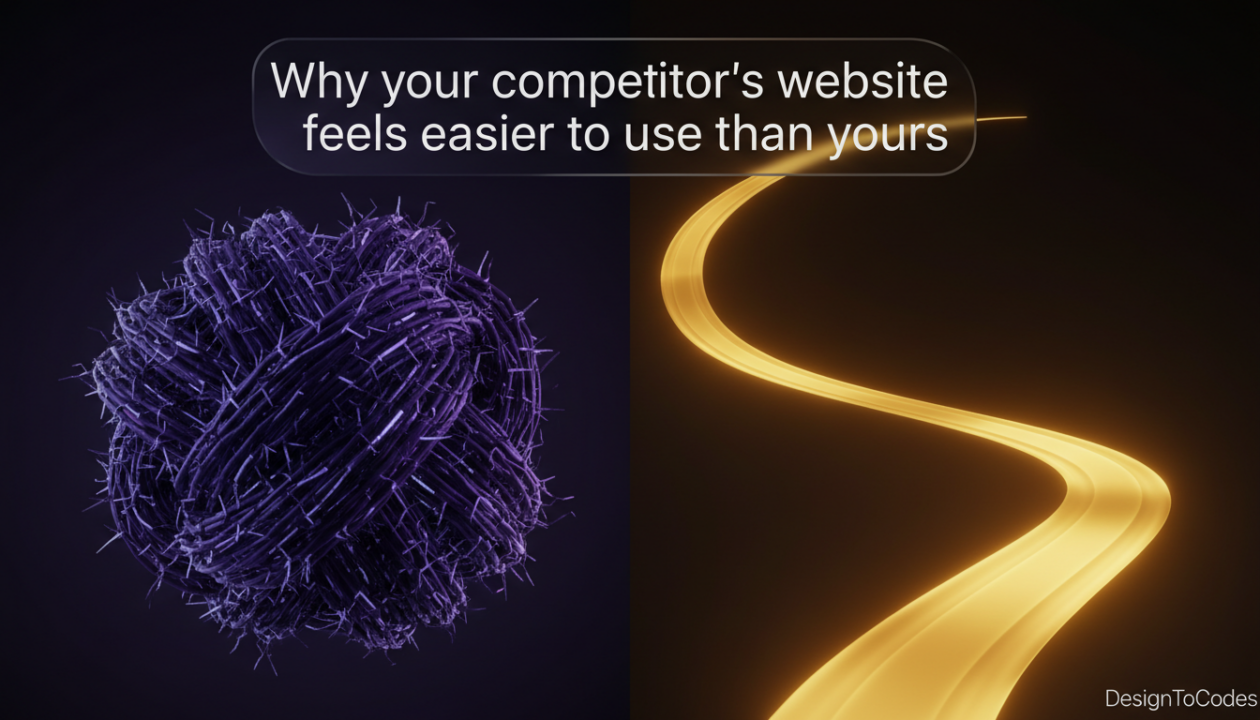
Have you ever visited a rival dealership’s website just to “check the competition” and left feeling a nagging sense of envy? You know your cars are better. Your prices are more competitive. Your showroom team is more experienced. Yet, their digital storefront feels like a smooth ride on a paved highway, while yours feels like driving an old truck through a muddy swamp. The truth is, in the modern automotive industry, the “Ease of Use” factor is the invisible salesperson that either welcomes a customer in or pushes them away. If your site feels clunky, your customers assume your service is clunky too. Most business owners struggle because they are using an outdated Automotive WordPress Theme that hasn’t been optimized for the modern mobile user. To win, you need to stop thinking about your site as a gallery and start thinking about it as a high-performance Auto Dealer Website Template.
The “So What?” Factor: Why User Experience (UX) Is Your Bottom Line
If you are a designer, agency, or car shop owner, “Usability” isn’t a luxury—it’s a survival trait. A site that is hard to navigate has a high “Cognitive Load.” When a user gets frustrated trying to find the “Mileage” or “Fuel Type,” they leave. Your competitor isn’t smarter than you; they just have a better Auto Dealer Website Template that anticipates user needs. Improving your UX directly correlates to lower bounce rates and a higher volume of “Schedule a Test Drive” submissions.
The Anatomy of a Frustrating User Journey
Most car dealership sites fail because they are built on a generic Automotive WordPress Theme that tries to do too much. They are bloated with heavy scripts, unoptimized images, and navigation menus that look like a maze.
To understand why your competitor is winning, we have to look under the hood. It usually comes down to the architecture of the Auto Dealer Website Template they’ve chosen. A modern template isn’t just a “skin”; it’s a functional framework designed to handle thousands of database queries—like filtering by make, model, year, and price—without slowing down the user’s browser. Many legacy sites rely on an old Automotive WordPress Theme that uses heavy page builders, which add unnecessary code to every page. This results in “Layout Shift,” where buttons move while the page is loading, leading to accidental clicks and user rage. In contrast, a high-quality Auto Dealer Website Template uses clean CSS and optimized JavaScript to ensure that the “Search” and “Filter” functions are instantaneous. This speed is what creates that “Easy to Use” feeling. Below, we have broken down the critical differences between a standard, bloated theme and a high-performance Auto Dealer Website Template so you can identify exactly where your current site is stalling and where your competitors are accelerating.
| Feature | The “Clunky” Legacy Site | The “Easy-to-Use” Competitor |
| Filtering Speed | 3-5 second refresh per click | Instant dynamic filtering |
| Mobile Navigation | Tiny buttons, hard to tap | Thumb-friendly “Sticky” UI |
| Image Loading | High-res but uncompressed | Lazy-loaded Next-Gen formats |
| Search Logic | Basic keyword search | Predictive “Smart” search |
| Lead Forms | 10+ fields (High Friction) | Multi-step / One-click forms |
The Story of “Riverside Motors” and the Silent Exit
Let me tell you about John. John owns a mid-sized dealership called Riverside Motors. He had a beautiful site built on a popular Automotive WordPress Theme. On his desktop, it looked amazing. He was proud of it.
But John didn’t realize that 75% of his customers were looking at his cars while standing in line at the grocery store or sitting in a coffee shop. On their phones, his “Easy to Use” site was a nightmare. The “Filter” button was hidden, and the photos took forever to load. One afternoon, he sat in his own showroom and watched a potential customer browse a competitor’s site on their phone. The competitor used a streamlined Auto Dealer Website Template. The customer found a car, checked the financing, and booked a viewing in under 90 seconds.
The Lesson: Beauty doesn’t sell cars; Frictionless Utility sells cars. John’s Automotive WordPress Theme was a beautiful statue, but his competitor’s Auto Dealer Website Template was a high-speed elevator.
Why the Right Template Changes Everything
When you move from a basic Automotive WordPress Theme to a specialized Auto Dealer Website Template, you aren’t just changing the design; you are changing the data structure. A professional template allows for “Deep Linking” into specific car features, making it easier for Google to index your inventory and easier for users to share specific listings with their family.
Varied Sentence Structure in Practice:
Simplicity is hard. It takes a lot of complex code to make a website feel simple. You want your customers to feel empowered. You don’t want them to feel confused. A confused mind always says “no.” However, when you utilize a professional Auto Dealer Website Template, you remove the barriers to the sale. Short load times. Long-term customer loyalty. The path is clear.
FAQ: Addressing Common Misconceptions
Q: Is an Auto Dealer Website Template more expensive than a regular theme?
A: Initially, it might be. But a specialized Auto Dealer Website Template includes features like VIN decoders and inventory management that would cost thousands in custom development if you used a basic Automotive WordPress Theme.
Q: Can I keep my current SEO rankings if I switch templates?
A: Yes! In fact, a faster, more accessible Auto Dealer Website Template usually boosts your rankings because Google prioritizes “User Experience” (Core Web Vitals).
Q: Do I need a developer to manage a professional Auto Dealer Website Template?
A: Most modern templates are “No-Code” friendly, but having a developer helps you maximize the high-performance features that a standard Automotive WordPress Theme simply can’t offer.
Expert’s Advice,
“The best ‘Auto Dealer Website Template’ is the one that disappears. The user shouldn’t notice the website; they should only notice the car they are about to buy.” — Vitaly Friedman (UX Expert)
Actionable Advice: Your 5-Point Usability Checklist
- The 3-Click Rule: Can a user find a specific car and contact you in 3 clicks?
- Filter Logic: Does your Auto Dealer Website Template allow users to “undo” a filter easily?
- Visual Hierarchy: Is the “Price” the most visible element on your listing cards?
- Form Length: Cut your lead forms down to the absolute minimum (Name, Phone/Email, Interest).
- Broken Link Audit: Ensure every “View Details” button on your Automotive WordPress Theme actually works.
The Finish Line: Winning the Digital Race
The exact answer to why your competitor’s website feels easier to use is that they have prioritized low-friction data delivery over visual clutter. While you might be struggling with a heavy, multi-purpose Automotive WordPress Theme, they are likely using a dedicated Auto Dealer Website Template that was built from the ground up to solve automotive-specific problems. These templates focus on “Asynchronous Loading,” which means the text and search tools appear instantly while the heavy images load a millisecond later. This creates a psychological sense of “instant” performance. By choosing a high-quality Auto Dealer Website Template, you are investing in a system that respects the user’s time. You are removing the digital “speed bumps” that cause potential buyers to pull over and look elsewhere. Mastery of your digital space isn’t about having the loudest website; it’s about having the most helpful one.
Recent Posts


Recent Blogs
From the Journal
Why is updated CMS content not showing on a Next.js
- Oct 20, 2026
- 12:19 PM

Does a hotel website template include a working booking system?
- Oct 17, 2026
- 1:11 PM
How do you turn kitchen-project photos into a useful case
- Oct 13, 2026
- 11:46 AM
How do you build a gym class timetable that stays
- Oct 10, 2026
- 11:59 AM