

Med Spa Website Service Menus: Make Consultation Choices Clear
What should a med spa website service menu explain? Give
On this page
What should a med spa website service menu explain?
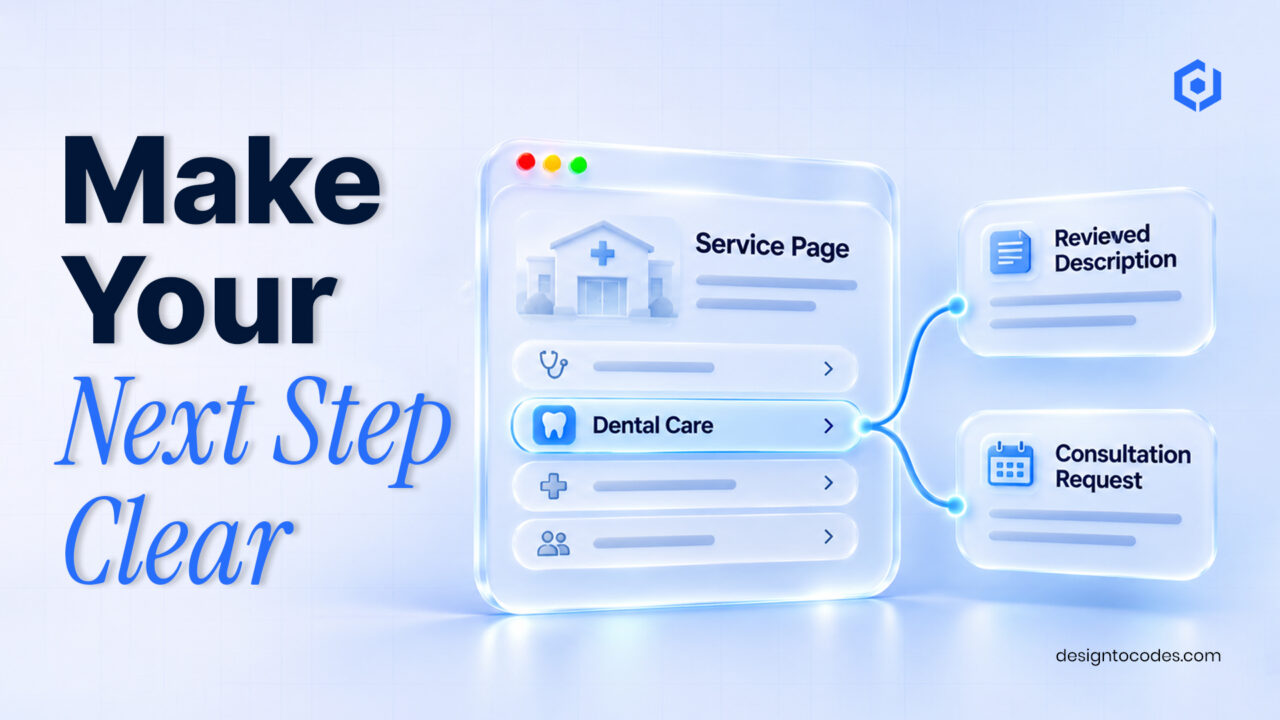
Give visitors a clear way to find the service information they need, understand whether the next step is a consultation request or a confirmed appointment, and reach the appropriate contact route. Use service descriptions approved by the business’s qualified content owner. A website layout should not invent treatment outcomes or make a visual booking button stand in for a configured appointment system.
The task here is information architecture, not medical advice or a recommendation about treatment. A visitor should be able to distinguish general service information from the personal assessment handled through the practice’s actual process. The website team should not write clinical promises merely to fill a template’s sample cards.
DesignToCodes sells MediSpa, a Framer website template. This guide explains a service-menu brief and a navigation test; it does not claim that a template establishes privacy compliance, clinical suitability or a guaranteed increase in appointments.
Match the menu to the visitor’s next question
| Visitor question | Useful website information | Owner who should verify it |
|---|---|---|
| Which category should I read? | Clear service categories and plain labels | Business/content owner |
| What does this service page cover? | Approved general description and scope | Qualified practice content owner |
| Who will respond to me? | Accurate team/contact information | Practice operations owner |
| What happens after I click? | Consultation request, scheduling provider or other actual route | Appointment-system owner |
| Where and when can I contact the practice? | Real location, hours and contact details | Operations team |
Do not force visitors to interpret internal product codes or unexplained service names. Keep a useful overview available for people who do not yet know which detail page they need. If the business requires a consultation before a service is confirmed, reflect that in the action wording.
Step 1: inventory the actual service information
List the service names, intended categories, approved descriptions and responsible reviewers. Mark missing content as work to complete, not an invitation for the website editor to invent a medical claim. Separate real staff information and permitted photographs from demonstration content.
Identify which pages need a distinct explanation and which would merely repeat another page. A CMS can repeat a useful layout, but it cannot create meaningful differences between services. Give each detail page a clear purpose and keep its URL stable after publishing.
The existing medical-template selection guide covers the wider website choice. Keep this article focused on the menu, content ownership and appointment route rather than publishing another generic medical-template roundup.
Step 2: prepare a service-page content model
| Content field | What the editor needs | Review question |
|---|---|---|
| Service name | Approved public label | Will the intended visitor understand it? |
| Category | A useful grouping | Does it help visitors choose what to read? |
| Summary | Accurate general explanation | Has the appropriate content owner approved it? |
| Detail content | The real scope of the service information | Are unsupported promises or demo claims removed? |
| Team reference | Current relevant staff information | Is the identity and role accurate? |
| Next action | The implemented request/scheduling destination | Does its wording match what actually happens? |
| Content owner | Reviewer and update responsibility | Who corrects a change after publication? |
Keep essential contact and next-step information easy to find. A long set of identical cards does not help the visitor distinguish services. A concise overview and accurate detail pages are preferable to many interchangeable pages created solely to target phrases.
Step 3: implement the content structure in the actual project
If the Framer project uses CMS collections, connect the approved service fields to its repeated layout and test one complete item before adding the rest. Framer’s CMS documentation explains collection-based content. Confirm the delivered project’s fields and relationships rather than assuming every product with a similar name has the same structure.
Test long service names, a missing optional image and a realistic description. Those content states can expose problems that short sample text hides. Check that category links, detail pages and the return route all work on a phone.
For general FAQ presentation, prioritize information that changes the next step. Keep essential consultation-process information visible rather than requiring every visitor to open several panels. Use approved answers and keep the business’s review responsibility explicit.
Step 4: name the appointment-system boundary
Decide whether the website opens a third-party scheduling page, embeds a provider or collects an initial request. Framer’s embed guide describes integration options, but provider configuration determines what happens next.
Do not present a request as a confirmed appointment. Verify the chosen destination with the operations owner and use a permitted test arrangement. Keep the initial inquiry limited to information necessary for that step; use the practice’s approved process for sensitive or clinical information rather than improvising fields in a generic website form.
The contact-form guide helps separate a visible success state from actual receipt. This is a technical delivery question, distinct from the practice’s content-review and appointment responsibilities.
Worked example: one service menu, two different actions
This is a fictional information-design example. A practice’s sample website labels every action “Book treatment,” although some routes only request an initial consultation. Several service cards repeat the same description, making it hard to choose a detail page.
The revised brief gives the categories understandable labels and replaces repeated sample text with reviewed descriptions. Each page uses the action that matches its actual process: a consultation request where review is required, or the configured scheduling destination where that is appropriate.
The team follows the route from menu to detail page to the permitted test destination. It records the result as a navigation and process check. No clinical suitability, regulatory compliance or appointment-growth claim is inferred from it.
Assess MediSpa as a website starting point
A practice owner needs understandable editing and a dependable appointment route. An agency delivering the site additionally needs named content reviewers, account ownership and a handoff process. The same industry template can serve either purchaser; the responsibilities differ.
The MediSpa Framer product is a candidate for the brief. Its public description refers to service, team and blog content. Check the current preview and confirm the delivered pages and CMS structure. Identify whether the appointment action links to a provider, embeds a service or submits a request, and establish the separate setup work before purchase.
Compare the template price with the Framer plan, domain, scheduling service and implementation work actually required. Confirm client-use permission if delivering for a practice. Use the existing medical-template selection guide for wider selection. A suitable current website may only need clearer content. DesignToCodes sells MediSpa; the template does not itself establish clinical suitability or privacy compliance.
Frequently asked questions
Is this guide recommending particular treatments?
No. It concerns website information, navigation and operating responsibilities. Service descriptions and clinical content belong to the practice’s qualified reviewers.
Is a consultation request a confirmed appointment?
Not necessarily. State the real process and verify the destination before using wording that implies confirmation.
Does a template establish privacy compliance?
No such claim is made here. The practice must evaluate its actual systems and operating requirements through its own process.
Should every service get a separate page?
Create a detail page when it offers a useful distinct explanation. Do not repeat the same description under many names merely to expand the site.
What should be tested before promoting the website?
Follow the menu, detail content and actual request/scheduling route. Check approved wording, contact details, mobile use and destination receipt where applicable.
Review MediSpa Framer’s preview against your service-menu brief.
Related reading
Sources and platform references
Recent Posts




Recent Blogs
From the Journal
What should a med spa website service menu explain? Give
- Nov 27, 2026
- 4:45 PM
Should website FAQs use an accordion or visible answers? Keep
- Nov 24, 2026
- 1:29 PM
What should a freelance design project inquiry ask? Ask enough
- Nov 21, 2026
- 4:10 PM

Can you host a Next.js template on static shared hosting?
- Nov 17, 2026
- 4:05 PM