

Framer vs Next.js: Editing, Hosting and Integrations
Should your business website use Framer or Next.js? Next.js vs.
On this page
Should your business website use Framer or Next.js?
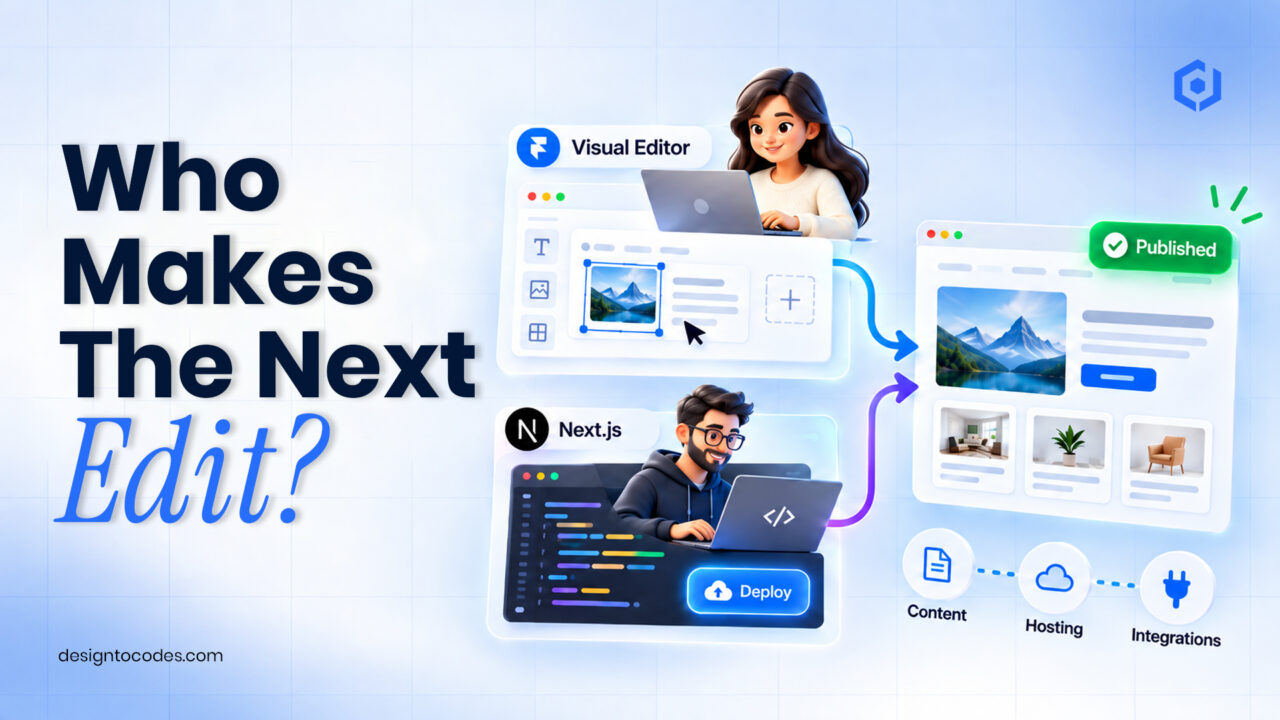
Next.js vs. Framer? Choose Framer when a non-developer needs to edit and publish ordinary business pages visually. Choose Next.js when a developer must control the codebase, deployment, or custom application logic. Before buying either template, write down who owns content changes, hosting, integrations, and maintenance. The better choice is the one your team can operate after launch.
This comparison is for a business website buyer choosing a working arrangement. It does not compare benchmark scores or claim that one framework automatically ranks higher. A restaurant brochure, an agency portfolio, and a reservation application can look similar in a demo while requiring different operating responsibilities.
Compare the work your team will actually do
| Requirement | Framer route | Next.js route | Evidence to request |
|---|---|---|---|
| Edit services and project descriptions | Visual editor and configured CMS content | Code or a separately configured CMS | Have the future editor complete one change |
| Own exportable source and hosting | Framer does not offer standalone HTML export for self-hosting | Source-based project with deployment choices | Confirm package contents and deployment requirements |
| Connect a booking or CRM service | Supported integration, embed or custom setup | Existing integration or developer-built connection | Test with your own service account |
| Maintain the website | Assign content, plan and integration owners | Assign dependencies, deployment and application owners | Written maintenance scope |
| Pay ongoing costs | Site plan and connected services as applicable | Hosting, services and developer maintenance as applicable | Itemized operating estimate |
The hosting distinction is documented in Framer’s export policy. For Next.js, inspect the deployment documentation against the features your project uses. A deployment option is not proof that every dynamic feature works on every host.
Step 1: Rehearse the first three content changes
Give the person maintaining the website three tasks: change a service price, add a project, and replace a photograph. Do this in a trial project or supervised demonstration, rather than treating a recorded marketing video as evidence of independent editing.
Record where they needed help. Could they find the correct CMS record? Did the new image break the mobile layout? Did they understand how to preview and publish? These observations expose training and setup needs before you commit to a framework.
If Framer is your likely route, use the Framer customization guide for the editing work. If a developer owns the process, the Next.js portfolio build guide covers an implementation path. Keep framework selection and implementation as separate decisions.
Step 2: Identify the integration boundary
Write each required business action as a sentence: “A visitor requests a repair estimate, the inquiry reaches our CRM, and a team member responds.” Then identify which part the template provides and which part your team must configure.
An attractive form is evidence of interface design. It does not establish CRM delivery, spam handling, or response ownership. Similarly, a login screen is not evidence of included authentication. Ask the seller what is implemented, what is a demonstration, and what needs another service.
Worked example: A repair shop with an outsourced developer
This is an illustrative buying scenario, not a customer result. A repair shop wants staff to update services weekly and receive estimate requests. Its developer is available for setup but not routine content changes.
A Framer template is worth testing because the staff’s editing task is central. The buyer should still verify form receipt and publishing costs. If the same shop requires a custom authenticated vehicle-status area connected to its operations system, the implementation brief becomes different: custom application behavior may require a developer-owned Next.js project or a separate application.
The decision changed because the business requirements changed. The template did not create or remove those requirements. Do not rebuild an otherwise suitable site merely because another framework sounds more fashionable.
Step 3: Compare total ownership, not just the template price
Use this worksheet with real quotes. Leave unknown costs marked unknown instead of treating them as zero.
| Cost or responsibility | Framer candidate | Next.js candidate |
|---|---|---|
| Template and permitted use | Enter current price and license | Enter current price and license |
| Initial customization | Scope and responsible person | Scope and responsible person |
| Publishing or hosting | Required plan and services | Required host and services |
| Integration setup | Account, configuration and testing | Account, implementation and testing |
| Monthly content changes | Staff time or support arrangement | CMS work or development arrangement |
| Maintenance and recovery | Owner and response process | Owner, updates and deployment process |
Include the time needed to train the editor, review content, and recover from a failed change. A cheap starter that nobody can maintain can become an expensive operating problem; that is a budgeting risk, not a measured claim about either platform.
Give the future editor a short handoff
Before delivery, identify the project owner, domain owner, publishing payer, and inquiry-service owner. Let the client change one service, preview it on a phone, and explain how to publish. Verify account transfer and external-service responsibilities separately using the Framer customization guide and current platform instructions. A shared operating checklist makes the editing choice concrete.
Choose a shortlist you can verify
Browse Framer templates for a visual editing route or Next.js templates for a code-owned route. Shortlist two candidates and perform the same tasks on both. Compare the included pages, editable structures, current package information, and integration scope before buying.
Keep a record of the date, candidate, and unresolved questions. If a demo cannot establish an essential requirement, send that question to the seller. A documented limitation is more useful than an assumption discovered after launch.
Frequently asked questions
Is Framer better than Next.js for SEO?
Neither choice establishes a ranking outcome. Inspect the published content, URLs, metadata, internal links, and page experience. Choose the framework your team can implement and maintain correctly.
Can I move a Framer site to my own HTML host?
Framer’s official policy says it does not provide standalone HTML export for self-hosting. Treat source ownership as a purchase requirement if it matters to your organization.
Does a Next.js template include a CMS?
Only if the package explicitly includes one. Confirm the CMS, supported editing workflow, and integration instructions for the specific template.
Can a non-developer maintain a Next.js website?
A configured CMS can support content editing, while technical maintenance still needs an owner. Ask for a demonstration of the actual arrangement rather than assuming it from the framework name.
Which should an agency recommend to a client?
Recommend the option that fits the client’s editing needs, hosting requirements, integrations, and support budget. Demonstrate the routine tasks and document the handoff before the client commits.
Compare Framer templates and Next.js templates, then inspect a candidate’s documented scope and current package.
Related reading
Sources and platform references
Recent Posts




Recent Blogs
From the Journal
Should your business website use Framer or Next.js? Next.js vs.
- Oct 05, 2026
- 5:16 PM
Should you use a free or paid website template? Use
- Sep 25, 2026
- 1:02 PM

How can you launch a professional website in a weekend
- Sep 22, 2026
- 1:04 PM
How do you design a “why choose us” section that
- Sep 18, 2026
- 3:52 PM