

On this page
In the modern automotive marketplace, the dealership lot has been replaced by the viewport. A vehicle’s physical presence—its horsepower, its paint condition, the smell of its leather—is secondary to its digital representation until the very final stages of the funnel. For developers, UI/UX designers, and platform architects, this shift represents a profound challenge. The difference between a vehicle that sells in 48 hours and one that stagnates for 90 days is often not the price or the trim level, but the engineering behind the search bar, the logic of the faceted navigation, and the layout of the Vehicle Detail Page (VDP). Automotive website UI design is no longer just about aesthetics; it is about reducing friction in a high-stakes financial transaction.
The car buyer user journey map has evolved from a linear path to a complex matrix of cross-referencing, filtering, and rapid-fire comparisons. Today’s buyer navigates through thousands of SKUs (Stock Keeping Units) using mobile devices, expecting millisecond latency and intuitive interfaces that anticipate their needs. If the used car search algorithm fails to interpret a typo, or if the automotive faceted navigation creates a dead-end query, the user bounces. The bounce is not just a lost session; it is a lost lead worth potentially thousands of dollars in gross profit. This article serves as a technical blueprint for constructing high-performing automotive marketplaces. We will dissect the granular details of improving car listing visibility through semantic search, optimizing render paths for fast car search results speed, and deploying vehicle schema markup for SEO to dominate organic listings. This is the engineering behind the sale.
We must understand that high-performing car listings are the result of a symbiotic relationship between backend database efficiency and frontend psychological triggers. A responsive car inventory grid must not only load quickly but must also respect the visual hierarchy that the human eye follows when scanning for value. By examining automotive UX research, we can move past anecdotal design choices and implement data-driven architectures that align with how modern users process complex inventory data. From the filtering cars by features UX to the implementation of dynamic car inventory indexing, every line of code contributes to the conversion rate.
The Psychology of the Digital Showroom: Search vs. Discovery Modes
To engineer a successful platform, one must first engineer for the user’s mindset. In automotive retail, users generally oscillate between two distinct cognitive modes: Search (hunting) and Discovery (gathering). The architecture of a site must accommodate both without forcing a context switch that increases cognitive load. The “Search” mode is transactional and specific; the user knows they want a 2021 BMW X5. The “Discovery” mode is aspirational and comparative; the user wants a “luxury SUV under $50,000.” Automotive search interface trends suggest that platforms failing to cater to the Discovery mode suffer from high exit rates on category pages. If a user cannot transition smoothly from a keyword search to a broader browse experience, the site fails to nurture the lead.
The modern buyer navigates a complex matrix of filtering and rapid-fire comparisons. To engineer a successful platform, you must accommodate two distinct cognitive modes:
Dual User Personas in Automotive UX
| Persona | Mindset | Primary UI Tool | Success Metric |
| The Specific Hunter | Transactional & Specific | Search Bar / VIN Lookup | Precision & Speed |
| The Casual Browser | Aspirational & Comparative | Faceted Filters / Sort | Engagement & Discovery |
The Specific Hunter requires a flat information architecture. If they search for a “Ford F-150 Lariat,” showing them an XLT trim due to loose keyword matching is a UX failure that degrades trust. The Casual Browser often suffers from choice paralysis. For them, the system must act as a recommendation engine, using predictive search for car websites to suggest vehicles that match vague criteria like “luxury SUV under $50,000.”
Understanding User Intent: The ‘Specific Hunter’ vs. The ‘Casual Browser’
The ‘Specific Hunter’ enters the site with high intent. Their behavior is characterized by the immediate use of the search bar or the rapid selection of Make/Model filters. For this user, the car marketplace information architecture must be flat and fast. They require deep linking capabilities and precise filtering. If they search for a “Ford F-150 Lariat,” showing them an XLT trim because of loose keyword matching is a UX failure that degrades trust. Conversely, the ‘Casual Browser’ is often plagued by choice paralysis. This user relies heavily on sorting mechanisms and visual cues. UX for luxury car buyers, in particular, requires a different approach for browsers; these users engage more with high-resolution imagery and lifestyle indicators than with raw specifications. For the casual browser, the system must act as a recommendation engine, utilizing predictive search for car websites to suggest vehicles that match their vague criteria.
Reducing Cognitive Load through Intuitive UI
Cognitive load is the mental processing power required to use your site. A cluttered interface with poor visual hierarchy for car sales exhausts the user.
Best Practices for Reducing Friction:
- Progressive Disclosure: Reveal complex options only when requested. Don’t show all 150 features (heated seats, sunroof, etc.) at once.
- Logical Grouping: Categorize filters into “Performance,” “Safety,” and “Interior” to help users find features like Apple CarPlay faster.
- Visual Filters: Use icons for body styles (Sedan, SUV, Truck) instead of text lists to leverage instant visual recognition.
- Layman’s Terms: Replace technical jargon with accessible language while maintaining accurate trim names for power users.
Designing for these dual personas requires a flexible UI. The car comparison tool design becomes vital for the browser, allowing them to park disparate options side-by-side. Meanwhile, the hunter needs granular vehicle inventory search filters (e.g., filtering by specific packages or engine codes). Balancing these needs prevents the interface from becoming cluttered while ensuring power users have access to the data they need. Data from automotive website bounce rate reduction studies indicates that forcing a browser into a hunter’s workflow (e.g., mandating a Make/Model selection before viewing inventory) increases abandonment by over 40%.
Reducing Cognitive Load through Intuitive UI Patterns
Cognitive load in automotive UX is the amount of mental processing power required to use the site. A cluttered interface with poor visual hierarchy for car sales exhausts the user. To combat this, designers must employ progressive disclosure—revealing complex options only when the user requests them. This is particularly relevant in filter logic for car websites. Instead of displaying all 150 possible features (heated seats, sunroof, navigation, etc.) in a long sidebar, high-performing listings group these into logical categories or prioritize them based on popularity. This connects directly to improving car listing visibility; if a user cannot find the filter for “Apple CarPlay,” they may assume the inventory lacks it, even if the cars are equipped.
Furthermore, the phrasing of labels impacts cognitive load. Technical jargon should be replaced or supplemented with layman’s terms where appropriate, though precise trim names must remain accurate. Automotive search interface trends are moving toward visual filters—using icons for body styles (sedan, SUV, truck) rather than text lists. This reduces reading time and leverages instant visual recognition, speeding up the interaction loop. By standardizing these automotive website navigation patterns, developers create a predictable environment where users feel in control of the vast database they are querying.
Engineering the Search Bar: Why Semantic Relevance Beats Keyword Matching
The search bar is the most complex component of an automotive website. A standard SQL `LIKE` query is insufficient for modern vehicle inventory. Users do not search in database schema; they search in natural language. They might type “cheap pickup trucks 4×4” or “fast red sports car.” A system relying on strict keyword matching will fail these queries. This is where semantic search for automotive comes into play. By utilizing vector search or advanced search engines like Elasticsearch or Algolia, developers can map user intent to inventory attributes, even when the specific keywords do not exist in the vehicle’s title.
A standard SQL LIKE query is insufficient for modern inventory. Users search in natural language, typing phrases like “cheap pickup trucks 4×4.”
The Semantic Search Advantage
By utilizing vector search or engines like Elasticsearch, developers can map intent to attributes even when keywords don’t match exactly.
- Autocomplete Logic: If a user types “Ci,” the system should prioritize “Honda Civic” over “GMC Sierra” based on volume and popularity.
- Typo Tolerance: Implementing Levenshtein distance algorithms handles inputs like “Toyta” seamlessly.
- Synonym Mapping: A search for “station wagon” should trigger results for “estates” or “tourings,” while “winter cars” should automatically filter for AWD/4WD.
- Implementing Autocomplete and Predictive Suggestions for Model Names
Predictive search for car websites is the first line of defense against zero-result pages. As the user types, the system must query the index for matching makes, models, and increasingly, body styles and features. However, the engineering challenge lies in the ranking logic of these suggestions. If a user types “Ci,” the system should prioritize “Honda Civic” over “GMC Sierra” based on volume and popularity logic, unless the user has previously browsed trucks. This requires a dynamic weighting algorithm within the autocomplete index.
The speed of this interaction is critical. Fast car search results speed in the autocomplete dropdown establishes the perceived performance of the entire site. Latency here should be under 100ms. Furthermore, the autocomplete should segment results. If a user types “Raptor,” the dropdown should offer “Ford F-150 Raptor” as a model search, but also potential category matches like “Trucks with Raptor Package.” This level of car search engine optimization within the site search keeps users engaged and guides them to populated result pages.
Handling Typos and Synonyms in High-Volume Inventory Databases
Automotive nomenclature is rife with complex spellings (e.g., “Chevrolet” vs. “Chevy,” “Infiniti” vs. “Infinity,” “Volkswagen” vs. “VW”). A used car search algorithm must possess robust fuzziness settings. Implementing Levenshtein distance algorithms allows the search engine to handle inputs like “Toyta Camry” and map them correctly to “Toyota Camry.” Beyond typos, synonym mapping is essential for Automotive website UI design compliance. Users searching for “station wagon” should see results for “estates” or “tourings” depending on the manufacturer’s terminology. Similarly, a search for “winter cars” should algorithmically trigger filters for AWD/4WD and heated seats. This semantic layer transforms the search bar from a text matcher into a sales consultant, significantly impacting the car listing click-through rate.
Faceted Navigation: The Technical Backbone of High-Conversion Filters
Faceted navigation is the engine of discovery on any e-commerce site, but in automotive, the complexity of dependencies makes it uniquely challenging. A standard e-commerce site might filter by size and color. An automotive site must filter by Make, Model, Trim, Year, Mileage, Price, Transmission, Drivetrain, and Fuel Type—and these are highly interdependent. Automotive faceted navigation requires rigid logic to prevent users from selecting mutually exclusive options (e.g., a 2022 Tesla Model 3 with a V8 engine).
Logic and Hierarchy: Prioritizing Price, Make, Automotive website UI design
The ordering of filters dictates user behavior. Filter logic for car websites usually prioritizes Price, Make, and Body Style as the top three decision-making criteria. However, car price filter optimization is subtle. Users rarely have a single fixed number; they have a range. Using a slider UI with histogram data showing inventory density at different price points helps users understand the market. If a user sets a cap at $20,000 and sees zero results, they bounce. If the histogram shows a spike in inventory at $21,000, they are likely to adjust their filter. This is a critical aspect of car search filter abandonment prevention.
Hierarchy also applies to “Make > Model > Trim” dependencies. The UI must react instantly. Selecting “Ford” should immediately restrict the “Model” facet to only Ford vehicles. While this sounds basic, the backend implementation often struggles with dynamic car inventory indexing at scale. The query to count available facets for the next selection must run in parallel with the query to fetch the vehicle results, often requiring aggregated counts from the search index to be returned in the same payload.
The Performance Impact: AJAX vs. Page Reloads for Dynamic Filtering
In the early days of the web, selecting a filter meant reloading the page. Today, filtering cars by features UX demands asynchronous operations (AJAX/Fetch). When a user clicks “Sunroof,” the grid should update instantly without a full page refresh. This is achieved using modern frontend frameworks (React, Vue, Angular), effectively managing the state. The challenge is URL synchronization. To maintain car search engine optimization and shareability, every filter change must update the browser’s URL (pushState) so that the specific configuration can be bookmarked or indexed.
However, client-side rendering has SEO implications. If the initial HTML payload is empty and populated via JavaScript, search crawlers might miss the inventory. Implementing Server-Side Rendering (SSR) or Static Site Generation (SSG) for category landing pages ensures that improving car listing visibility applies to search bots as well as humans. The balance between fast car search results speed for the user and crawlability for the bot is the hallmark of advanced automotive website UI design.
Layout Architecture: Optimizing the VDP (Vehicle Detail Page) for Maximum Views
The Search Results Page (SRP) gets the click, but the Vehicle Detail Page (VDP) gets the conversion. The architecture of the VDP is the digital equivalent of the test drive. Automotive search result page layout principles dictate that the transition from SRP to VDP must be seamless. The user has made a micro-commitment by clicking; the VDP must reward that click with immediate relevance.
Above-the-Fold Essentials
- The Hero Shot: High-definition, lazy-loaded images (front ¾ angle).
- Core Data Points: Price, Mileage, and Trim header must be visible without scrolling.
- Transparency Features: Including “imperfection highlights” for used cars builds trust and increases lead quality.
- The CTA: A high-contrast “Contact Dealer” or “Confirm Availability” button.
Pro-Tip: Including a monthly payment calculation directly on the inventory card increases engagement for financing-focused buyers by up to 30%.
Visual Hierarchy: Above-the-Fold Essentials for Car Listings
On a VDP, screen real estate is precious. Visual hierarchy for car sales demands that the most critical information appears “above the fold” (visible without scrolling). This typically includes the primary carousel, the Price, the Make/Model/Trim header, and the primary Call to Action (CTA). Optimizing car photos for web is non-negotiable here. High-definition images that are lazy-loaded yet appear instantly are vital. The primary image must be the “hero shot”—usually the front ¾ angle.
Detailed specs should be secondary. The user needs to confirm “Is this the car I saw?” and “Can I afford it?” immediately. Automotive website UI design mistakes often involve burying the price or the “Contact Dealer” button beneath paragraphs of text. Another trend in automotive UX research is the inclusion of “imperfection highlights” for used cars—showing scratches or dings upfront builds trust and actually increases lead quality, as the buyer feels the dealer is transparent.
Grid vs. List Views: Which Drives More Clicks on Mobile vs. Desktop?
The responsive car inventory grid is a battleground for UX designers. On desktop, a grid view (3 or 4 cards across) allows for rapid scanning of images. However, on mobile, the list view (1 card across) is mandatory. The debate lies in the information density of the card itself. Does the card show just the price and mileage, or does it include monthly payment estimates? Car listing click-through rate data suggests that including a monthly payment calculation on the card increases engagement significantly for financing-focused buyers.
Additionally, the car comparison tool design or Automotive website UI design is often integrated into these cards. A simple checkbox to “Compare” allows users to build their own consideration set. On mobile, this interaction must be carefully designed to avoid clutter. Mobile car search UX often benefits from persistent headers or footers that track how many cars are selected for comparison, bridging the gap between the grid view and the deep-dive VDP.
Mobile-First Car Search: Solving the Small Screen Search Dilemma
With over 60% of automotive search traffic originating from mobile devices, Automotive website UI design is not a luxury; it is the standard. The desktop site should be an expansion of the mobile site, not the other way around. The small screen presents unique challenges for complex filtering and heavy media.
Thumb-Zone Automotive website UI design for Filter Modification
The “Thumb Zone” refers to the area of the screen comfortably reachable with a single thumb while holding a phone. Mobile car search UX fails when filter controls are placed at the top left of the screen, the hardest place to reach. High-performing mobile interfaces place sorting and filtering triggers in a sticky bar at the bottom of the viewport. When the filter menu opens, it should cover the screen as a modal, offering large, tappable targets (44px minimum height). This attention to Automotive website UI design reduces frustration and fat-finger errors.
Furthermore, car search filter abandonment on mobile is high because typing is difficult. Interfaces should rely heavily on tap-to-select pills, sliders for price ranges, and geolocation buttons for zip codes. Every time the keyboard pops up, the risk of abandonment increases. Predictive search becomes even more critical here to minimize keystrokes.
SEO Strategies for Dynamic Inventory Pages
Building a great search experience for humans is half the battle; the other half is building it for search engines. Dynamic inventory sites are notorious for generating millions of low-quality Automotive website UI design and URL permutations (e.g., /cars?color=red&doors=4&price=high). Car search engine optimization requires strict control over which of these pages get indexed to preserve crawl budget.
Managing Faceted Navigation to Prevent Duplicate Content
Search filters create duplicate content issues. Does a page filtered for “Red Ford F-150s” offer unique value compared to “Ford F-150s”? Usually, no. Developers must use the Canonical Tag (`rel=”canonical”`) to tell Google that the filtered page is just a variation of the main model page. Furthermore, using `robots.txt` or `meta robots=”noindex”` on low-value facets (like filtering by “Odometer”) prevents Google from wasting resources crawling useless pages. However, high-value facets (like “Used Ford F-150 for sale”) should be indexable. This requires a car marketplace information architecture that generates static-looking URLs (slugs) for popular filter combinations, turning dynamic queries into permanent SEO assets.
Implementing Schema Markup (Car/Product) for Rich Snippets
To dominate the SERPs (Search Engine Results Pages), one must speak the search engine’s language: Schema.org. Implementing vehicle schema markup for SEO (`schema.org/Vehicle` or `schema.org/Car`) is critical. This structured data tells Google explicitly: “This is a car, this is the VIN, this is the price, and this is the mileage.” This allows Google to display Rich Snippets—enhanced listings with price and availability directly in the search results. This significantly improves the car listing click-through rate from organic search. Dynamic car inventory indexing systems must automatically inject this JSON-LD schema into the head of every VDP, updating in real-time as prices or availability change.
Building a Technical Roadmap to Automotive Authority
The journey from a casual click to a signed contract is paved with hundreds of micro-interactions. A high-performing automotive listing is not an accident; it is the result of deliberate engineering that blends automotive UX research with robust backend architecture. By mastering semantic search for automotive, developers ensure users find what they need. Also, automotive faceted navigation, designers ensure users can filter without frustration. Optimizing the automotive search result page layout and VDPs for mobile devices, businesses capture the vast majority of modern traffic.
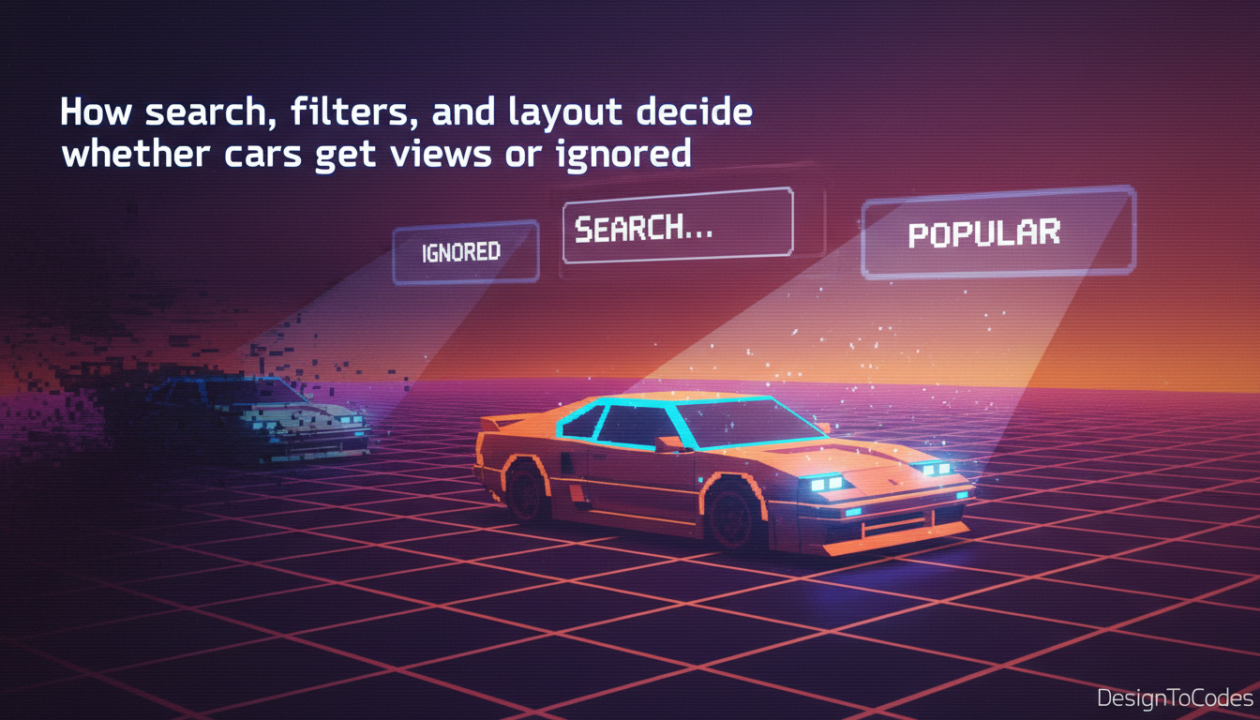
The future of car sales belongs to those who view their website not as a brochure, but as a software application. It requires a relentless focus on fast car search results speed, clear Automotive website UI design hierarchy for car sales, and the intelligent application of data to reduce cognitive load. Whether you are optimizing a local dealership site or a national aggregator, the principles remain the same: Respect the user’s intent, minimize friction, and let the engineering facilitate the discovery. When search, filters, and layout work in harmony, the car doesn’t just get viewed—it gets sold.
Recent Posts



Recent Blogs
From the Journal

How do you optimize your website for AI search? To
- Sep 08, 2026
- 1:07 PM

Why isn’t my website showing up on Google? If your
- Sep 04, 2026
- 12:59 PM

Why does my website say “Not Secure” and how do
- Sep 01, 2026
- 2:29 PM
Next.js vs Astro – which is better for a fast
- Aug 28, 2026
- 12:58 PM