
How to Build a Yacht Charter Website with Next.js: Complete 2026 Guide
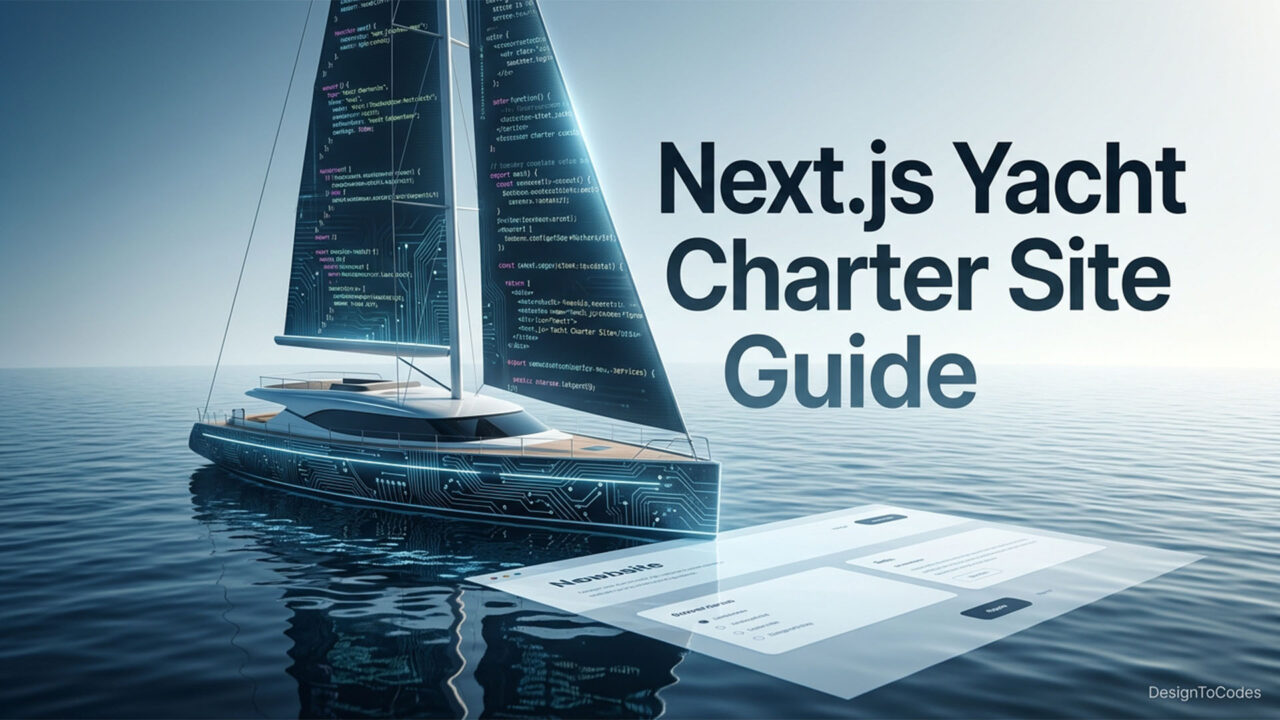
Building a yacht charter website with Next.js in 2026 is the closest thing to a no-regrets decision a charter operator or yacht-club marketer can make this year. Next.js provides server-rendered booking pages that are fast on a phone, even in poor reception at a marina, image optimization that doesn’t consume your data plan, and a deployment story on Vercel that requires just a few clicks. This guide walks through the full build — from project setup, App Router structure, and SSG vs SSR decisions for booking pages, to Stripe integration, image optimization, Core Web Vitals, and a clean Vercel deployment. We have included real, copy-pasteable code snippets where they are helpful, and we will show you exactly when buying a polished starter, such as Sailvu Next.js, makes more sense than starting from scratch.
This is a tutorial for developers and technical founders. If you are not writing code yourself, skim the architecture sections to understand what your developer is doing, and skip to the conclusion for a build-vs-buy framework. By the end, you will know how to build a yacht charter website with Next.js that loads fast, ranks well, and converts inquiries into reservations.
Why Next.js for a Yacht Charter Website
A yacht charter site has unusual constraints. The hero image is enormous because yachts are visually dramatic. The fleet pages need to be SEO-indexable so a traveler Googling “Mediterranean catamaran charter 50 feet” actually finds you. The booking flow needs to feel premium because the average reservation is several thousand dollars. And the whole thing needs to be maintainable by a small team. Next.js answers all four of those constraints with a single framework: server components for SEO, image optimization for big yacht photography, App Router for clean routing, and Vercel deployment for global edge performance.
You can absolutely build the same site with Astro, Remix, or even SvelteKit, and any of those will work fine. We default to Next.js for charter projects because the ecosystem (Stripe SDK, NextAuth, Sanity, Contentful, Headless WordPress, Vercel Image CDN) is unmatched, and our team ships faster on it. If you ever want to ditch the framework, the React components carry over. Pair this guide with our deep dive on Next.js for SEO in 2026 for the search-side rationale.
Project Setup: Bootstrapping Your Yacht Charter Project
We will start with a fresh Next.js project using the App Router and TypeScript. From your terminal:
npx create-next-app@latest yacht-charter --typescript --tailwind --app --src-dir --import-alias "@/*"

cd yacht-charter
npm install zod stripe @stripe/stripe-js
npm install -D @types/node
This gives you a typed Next.js 14 codebase with Tailwind, the App Router, and a clean src directory. We add Zod for runtime validation of booking inputs, the Stripe SDK for checkout, and the React Stripe library for client-side card capture if you choose embedded checkout instead of hosted Stripe Checkout.
The folder structure for a yacht charter site usually looks like this:
- src/app/(marketing)/page.tsx — homepage
- src/app/fleet/page.tsx — fleet listing
- src/app/fleet/[slug]/page.tsx — yacht detail page
- src/app/book/[slug]/page.tsx — booking flow
- src/app/api/checkout/route.ts — Stripe checkout API route
- src/components/ — shared UI components
- src/lib/fleet.ts — fleet data access
App Router and Routing Structure
The App Router is the right default for a yacht charter site because it lets you mix server components (great for SEO and fast first paint) with client components (great for interactive booking widgets) without ceremony. Marketing pages — homepage, about, the fleet index — should be server components. The booking page itself is mostly server-rendered, with a client component handling the date picker and Stripe checkout button.
Use route groups (marketing), (booking) to keep your folder structure clean without affecting URLs. A typical fleet detail page lives at /fleet/[slug] and pulls fleet data from your CMS or a typed JSON file. Use generateStaticParams to pre-render every yacht page at build time so each one is a flat HTML file the search engines can index instantly. The trade-off is that adding a new yacht to the fleet usually requires a small redeploy, which is exactly the right friction for a high-trust booking surface.
SSG vs SSR for Booking Pages
This is the question that trips up most teams. Should the fleet detail pages be statically generated (SSG) or server-rendered on demand (SSR)? The honest answer is: SSG for the marketing surface, SSR or ISR for the booking-availability surface.
Concretely, this means the fleet detail page — yacht specs, gallery, pricing — is statically generated at build time. The “Book this yacht” page is server-rendered or uses Incremental Static Regeneration (ISR) so availability stays fresh. Here is a clean example of an ISR-enabled fleet page:
// src/app/fleet/[slug]/page.tsx
import { getYachtBySlug, getAllYachtSlugs } from "@/lib/fleet";

export const revalidate = 3600; // 1 hour ISR

export async function generateStaticParams() {
  const slugs = await getAllYachtSlugs();
  return slugs.map((slug) => ({ slug }));
}

export default async function YachtPage({ params }: { params: { slug: string } }) {
  const yacht = await getYachtBySlug(params.slug);
  if (!yacht) return null;
  return ({yacht.name}{yacht.description}); }
This pre-renders every yacht at build time, then refreshes each page in the background once an hour. Visitors always see a fast HTML response, and your editor sees content updates without a full redeploy. For a real-availability widget, fetch live data inside a client component that runs only when the user opens the date picker — this keeps the marketing surface fast and the booking surface accurate.
“The fastest charter site is the one that ships HTML first and JavaScript second.” — DesignToCodes (concept)
Booking Integration: Stripe and Beyond
For payments, Stripe is the lowest-friction choice for a yacht charter site. Use Stripe Checkout (hosted) for the fastest implementation, or embedded Checkout if you want to keep visitors on your domain. The flow is simple:
- User picks dates on the yacht detail page (client component).
- Client component POSTs the yacht slug, dates, and guest count to /api/checkout.
- Server route creates a Stripe Checkout Session with the right line items and redirects.
- Stripe webhook hits /api/webhooks/stripe on payment success and writes the reservation to your database.
Here is a minimal API route for creating a Stripe Checkout Session:
// src/app/api/checkout/route.ts
import Stripe from "stripe";
import { NextResponse } from "next/server";
import { getYachtBySlug } from "@/lib/fleet";

const stripe = new Stripe(process.env.STRIPE_SECRET_KEY!, { apiVersion: "2024-12-18.acacia" });

export async function POST(req: Request) {
  const { slug, days } = await req.json();
  const yacht = await getYachtBySlug(slug);
  if (!yacht) return NextResponse.json({ error: "not found" }, { status: 404 });
  const session = await stripe.checkout.sessions.create({
    mode: "payment",
    line_items: [{ price_data: { currency: "usd", unit_amount: yacht.dailyRateCents, product_data: { name: yacht.name } }, quantity: days }],
    success_url: process.env.SITE_URL + "/booking/success",
    cancel_url: process.env.SITE_URL + "/fleet/" + slug,
  });
  return NextResponse.json({ url: session.url });
}
For inquiry-first charters where you do not collect payment up front, replace the Stripe call with an email send via Resend, Postmark, or SendGrid, and persist the inquiry to a lightweight database like Supabase or Planetscale.
Image Optimization for Yacht Photography
Yacht photography is the most beautiful part of your site and the heaviest. Next.js’s next/image component is non-negotiable here. It handles responsive sizing, modern format conversion (AVIF and WebP), and lazy loading by default. A few practical rules:
- Always specify width and height or use fill with a sized parent. This prevents layout shift.
- Set priority on the hero image of every page so it loads in the LCP window.
- Use sizes aggressively. A fleet card on a three-column grid is much smaller than the URL bar suggests.
- Ship original images at 2x the rendered size. Anything larger is wasted bandwidth.
If your photography lives on a CDN like Cloudinary or your headless CMS, Next.js’s image loader can pull from there directly with on-the-fly resizing. The result is a fleet page that looks like a coffee-table magazine without the data-plan tax.
Core Web Vitals: What Matters for Charter Sites
Core Web Vitals scoring is what actually moves the needle in Google’s ranking signals — Largest Contentful Paint (LCP), Interaction to Next Paint (INP), and Cumulative Layout Shift (CLS). On a yacht charter site, your three biggest threats are: a hero video that delays LCP, a date picker that blocks INP, and image placeholders that cause CLS.
Practical fixes:
- Replace hero videos with optimized images plus a “Watch the reel” play button that loads the video on click.
- Pick a date picker that is small and accessible (date-fns plus a small range picker is plenty). Avoid heavy old libraries.
- Reserve image space with explicit dimensions and use placeholder blur for fleet cards.
- Ship font-display swap on custom fonts and self-host them so they hit cache fast.
Run Lighthouse against the deployed Vercel preview, not localhost. Real-world numbers are what your users see, and the preview environment is closer to production than your laptop will ever be.
“Most charter sites lose the booking before the date picker even renders. Performance is conversion.” — DesignToCodes (concept)
Deployment to Vercel
Vercel is the path of least resistance for Next.js. Push to GitHub, connect the repo to Vercel, set environment variables for STRIPE_SECRET_KEY, STRIPE_WEBHOOK_SECRET, SITE_URL, and any CMS keys, and your charter site is live on a global edge network with automatic preview deployments per pull request.
A short pre-flight checklist:
- Set up a custom domain and HTTPS in Vercel.
- Add the Stripe webhook endpoint in your Stripe dashboard, pointing at /api/webhooks/stripe.
- Configure Vercel’s Web Analytics or plug in Plausible/Fathom for privacy-friendly metrics.
- Add a sitemap route at /sitemap.xml, generated dynamically from your fleet data.
- Wire up Open Graph images per yacht using Next.js’s opengraph-image.tsx convention.
If you want a deeper dive on how Next.js handles SEO at the framework level, see why Next.js is the best framework for SEO in 2026. If you are still picking a builder, the Framer vs Webflow vs WordPress 2026 comparison is the right read.
SEO Architecture for a Yacht Charter Website
Beyond Core Web Vitals, the search engine architecture for a charter site has three layers. First, the technical layer: clean URLs, server-rendered HTML, schema markup for LodgingBusiness or TouristAttraction, and a proper sitemap. Second, the content layer: fleet pages with unique descriptions, location-based landing pages (Mediterranean charter, Caribbean charter), and a blog that targets the keywords your guests actually search. Third, the linking layer: internal links between fleet pages, blog posts, and location landings, plus outbound links from your blog into reputable marine media.
For a step-by-step on the content side, our yacht booking website templates roundup shows how to structure a hub-and-spoke content model. For an adjacent travel-industry case study, see how Tripvanta structures its tour pages — many of the same patterns translate cleanly to charter listings.
Skip the boilerplate. Ship a yacht charter website with Next.js this weekend.
Sailvu’s Next.js template is the production-ready starting point for the architecture above — App Router, image optimization, and booking-ready structure. One-time purchase, lifetime access, no lock-in.
Build Timeline and Effort Estimate
Here is a realistic timeline for a senior Next.js developer building a yacht charter website with Next.js from scratch versus starting from a polished template like Sailvu Next.js. The numbers below assume a single developer working part-time, with content (copy, photography, fleet data) already prepared.
| Phase | From Scratch | From Sailvu Next.js | Notes |
|---|---|---|---|
| Project setup & design system | 3-5 days | 0.5 day | Tailwind tokens, components |
| Marketing pages | 3-4 days | 0.5 day | Home, about, fleet index |
| Fleet detail & gallery | 2-3 days | 0.5 day | Image optimization included |
| Booking flow + Stripe | 3-5 days | 1-2 days | Most customs regardless |
| SEO & analytics | 1-2 days | 0.5 day | Schema, sitemap, OG images |
| Vercel deployment | 0.5 day | 0.5 day | Roughly identical |
| QA & polish | 2-3 days | 1 day | Cross-device testing |
| Total | 14.5-22.5 days | 4-5.5 days | — |
The build-vs-buy math is rarely close. Even at junior contractor rates, the time saved by starting from a template like Sailvu pays back the license many times over. If you are evaluating the wider D2C catalog, the Next.js category includes adjacent travel-industry starters worth a look.
Analytics, Webhooks, and Operational Hygiene
Once your yacht charter website with Next.js is live, the operational side becomes the difference between a site that quietly converts and one that quietly leaks revenue. Three habits matter most. First, instrument the booking funnel from the moment a visitor lands on a fleet page to the moment Stripe confirms payment. Privacy-friendly analytics like Plausible or Fathom, paired with a small custom event layer in your client components, give you a clear picture of where charter inquiries drop off without inviting GDPR headaches. Second, monitor your Stripe webhooks. The most expensive failure mode is a paid booking that never makes it into your reservation database because a webhook timed out — Stripe retries automatically, but you should still alert on repeated failures.
Third, write a runbook before you launch. The runbook lists what to do when a yacht is suddenly unavailable, when a booking needs a refund, when a webhook is replayed, and when Vercel reports an outage. None of this is glamorous and all of it pays back inside the first month. A small charter operation can run on a one-page Notion runbook; an established yacht club benefits from a more formal incident-response document. Either way, do not skip the step. The Next.js codebase you ship is only half of the production system — the operational layer is the other half, and it is the half that decides whether bookings land smoothly at three in the morning.
When to Use a Template (and When Not To)
Use a template like Sailvu Next.js when you need to ship within a month, when your visual brand is flexible, or when your team would rather spend cycles on the booking flow and content than on yet another design system. Use it when you want a code base your future self can read.
Build from scratch when your brand has a strong, custom design language that does not map onto any existing template, when you have a multi-quarter timeline and a designer in-house, or when your product is unusually different (an instant-booking platform with multi-vessel availability, for example, may need a custom data model and a custom UI).
For most charter operators and yacht clubs, the answer is “start from a template, customize the parts that matter.” It is faster, cheaper, and frees the team to focus on conversion and content rather than reinventing yet another fleet grid. If a hospitality-adjacent template feels like a closer match, consider Seahotel for the booking-flow patterns and rebrand from there.
Conclusion: Ship Your Yacht Charter Website with Next.js
Building a yacht charter website with Next.js in 2026 is not a heroic effort. The framework gives you everything you need — App Router, image optimization, server components, Stripe-ready API routes, Vercel deployment — and the only real decision is whether to bootstrap from a template or from scratch. Either way, the architecture above is the production-ready path: SSG for marketing pages, ISR for availability, Stripe for payments, and disciplined Core Web Vitals work to keep your bookings flowing on mobile networks. If you want a head start, Sailvu Next.js is the cleanest yacht starter we have shipped this year. Add to Cart, View Live Demo, deploy to Vercel, and get back to running charters.
Frequently Asked Questions
Q1. Do I need to be a senior developer to build a yacht charter website with Next.js?
No. A junior developer comfortable with React can ship a charter site in a few weekends, especially when starting from a template like Sailvu Next.js. The harder parts — Stripe webhooks, Core Web Vitals tuning — are well-documented.
Q2. Should I use the App Router or the Pages Router?
App Router. It is now the default for new Next.js projects, has better support for streaming and server components, and is the long-term home for the framework. Pages Router still works but is in maintenance mode for new features.
Q3. Is Stripe the only payment option?
Stripe is the most common, but you can integrate PayPal, Adyen, or local processors. The same architecture applies — collect input on the client, create a session on the server, listen for webhooks.
Q4. Can I host a Next.js yacht site somewhere other than Vercel?
Yes. Netlify, Cloudflare Pages, AWS Amplify, and self-hosted Node deployments all work. Vercel is the smoothest because the framework is built by the same team, but it is not a lock-in.
Q5. How do I handle availability across multiple yachts?
Store availability in a database (Supabase, Planetscale, Postgres) and read it on the server when rendering fleet detail pages. Use ISR with a short revalidation window so availability stays fresh without rendering on every request.
Q6. Will Next.js scale if my charter business grows?
Yes. Next.js comfortably handles thousands of yachts and millions of monthly visitors when paired with a CDN. The framework is used by some of the largest e-commerce and travel sites on the web.
Q7. How do I make the booking flow accessible?
Use a date picker library that supports keyboard navigation and screen readers. Label every input. Test with a keyboard and a screen reader before launch. Accessibility is also a ranking signal in Google’s quality guidelines.
Q8. Do I need a CMS, or can fleet data live in code?
For under twenty yachts, a typed JSON file in the repo is fine. Beyond that, Sanity, Contentful, or Headless WordPress saves your editors a lot of pain and lets non-developers update fleet pages.
Q9. How long until a yacht charter Next.js site ranks on Google?
Technical SEO can be in place at launch. Content-driven rankings take three to nine months in a competitive niche. Yacht keywords are still relatively underserved, so first-mover advantage is real for 2026.
Q10. Where do I learn more about the Sailvu template?
Visit the Sailvu Next.js product page for a live demo, full feature breakdown, and the lifetime-access license details.