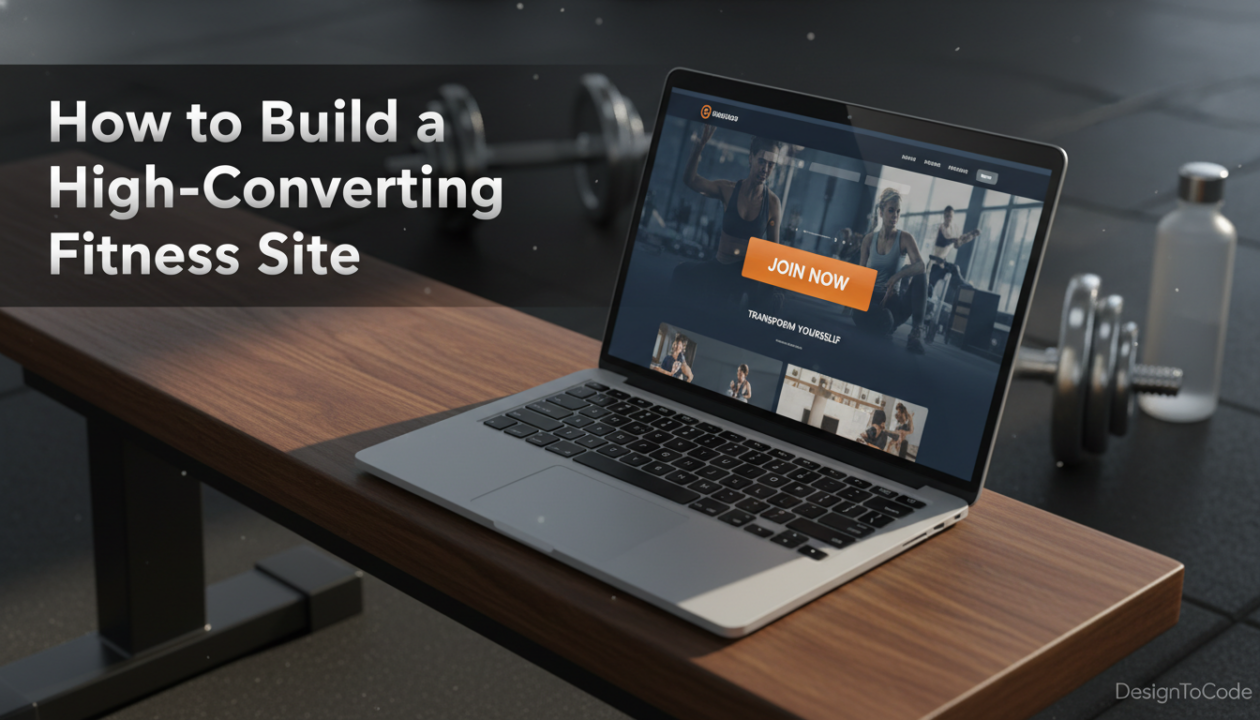
How to Build a High-Converting Fitness Site: The Ultimate Guide to Using a Gym Website Template
In the fiercely competitive fitness industry, your digital storefront is just as critical as your physical location. Whether you run a boutique yoga studio, a high-intensity CrossFit box, or a personal training business, your website is often the first interaction a potential member has with your brand. If that interaction is slow, clunky, or visually unappealing, you have likely lost a membership sale before they even walked through your doors.
For freelance developers and studio owners alike, the challenge lies in balancing aesthetics with functionality. You need a site that looks premium but also handles class schedules, membership sign-ups, and lead generation. This is where choosing the right Gym Website Template becomes the cornerstone of your strategy.
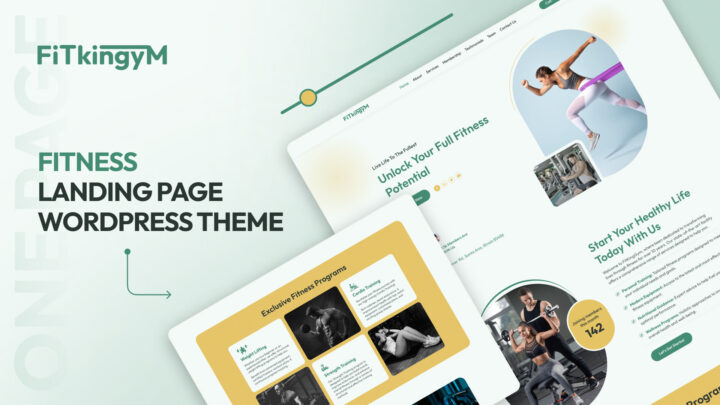
In this comprehensive, step-by-step tutorial, we will walk you through how to build a gym website that not only looks professional but converts visitors into paying members. We will be utilizing the FitKinGym solution—a specialized Elementor Template Kit designed to streamline this process without sacrificing code quality or speed.
Why Custom Coding is Out and Specialized Templates are In
Gone are the days when you needed to spend thousands of dollars on a custom-coded site from scratch. Today, using a specific Fitness WordPress Theme or a robust Gym WordPress Theme allows for rapid deployment and easier maintenance.
However, not all templates are created equal. A generic business theme simply cannot handle the specific nuances of the fitness niche. By utilizing a dedicated Gym Website Template like FitKinGym, you gain access to pre-built architectures designed for:
- Class Schedules & Booking Integration
- Trainer Profiles & Certifications
- High-Resolution Transformation Galleries
- Membership Tiers & Pricing Tables
Step 1: Preparation and Hosting Environment
Before touching the design, we must ensure the foundation is solid. A Fast Loading Fitness Theme requires a high-performance server.
- Select Managed WordPress Hosting: Avoid shared hosting if you anticipate high traffic or media-heavy content (like workout videos). Providers like Kinsta or WP Engine are recommended.
- Install WordPress: Ensure you are running the latest version of WordPress (6.0+).
- SSL Certification: Security is non-negotiable for a Membership Website Template setup where users input payment data.
Step 2: Installing the FitKinGym Elementor Template Kit
FitKinGym acts as a versatile Fitness Website Template that sits on top of the Hello Elementor theme, ensuring lightweight code and maximum design flexibility. Here is the technical implementation:
2.1. Theme Installation
Navigate to Appearance > Themes > Add New. Search for and install “Hello Elementor.” This provides a blank canvas that ensures your Gym Website Template loads lightning-fast.
2.2. Plugin Prerequisites
FitKinGym relies on Elementor. Install and activate:
- Elementor (Free or Pro)
- Envato Elements (for kit importation)
- Header & Footer Builder
2.3. Importing the Kit
Go to Elements > Installed Kits > Upload Template Kit. Upload the `FitKinGym.zip` file. Once uploaded, you will see a list of global styles and page templates. Click “Import Template” on the Global Kit Styles first to ensure your fonts and brand colors are applied across the entire Fitness Studio Theme.
Step 3: Configuring the Core Architecture
A successful Gym Website Template is more than just a homepage. It is an ecosystem. We need to construct the essential pages that drive trust and conversions.
3.1. The Homepage
Your homepage must answer three questions in 3 seconds: Who are you? What do you offer? How do I join? When using the FitKinGym homepage template, focus on the ‘Hero Section’.
Pro Tip: Use high-contrast imagery. If you are configuring a Crossfit WordPress Theme style, use gritty, high-energy photos. For a Yoga Studio WordPress Theme configuration, opt for soft lighting and calm poses.
3.2. The ‘Trainers’ Page
Trust is the currency of the fitness industry. The Personal Trainer Website Template section within FitKinGym allows you to create detailed bio cards. Use this structure:
- Image: Professional headshot.
- Bio: 50-word summary of philosophy.
- Specialties: e.g., “Hypertrophy,” “Mobility Flow.”
- Social Proof: Link to their Instagram or testimonials.
Step 4: Implementing Functional Features
This section addresses the technical integration of business logic into your Gym Website Template.
4.1. Class Schedules
Static tables are insufficient for modern gyms. We recommend integrating a third-party plugin like Mindbody or a WordPress-native solution like ‘Timetable and Event Schedule’ into the template.
Create a new page using the ‘Schedule’ block from the FitKinGym kit. Insert the shortcode from your scheduling plugin. The CSS from FitKinGym is designed to inherit and style these tables automatically, maintaining the look of a cohesive Gym WordPress Theme.
4.2. Membership & Checkout
Transforming your site into a Membership Website Template requires a payment gateway. FitKinGym is fully compatible with WooCommerce and MemberPress.
Implementation Strategy:
- Install WooCommerce.
- Create ‘Products’ for your memberships (e.g., “Monthly Unlimited,” “10-Class Pack”).
- Use the FitKinGym ‘Pricing Table’ widget.
- Link the ‘Sign Up’ buttons directly to the WooCommerce ‘Add to Cart’ URL (e.g.,
/checkout/?add-to-cart=ID).
Step 5: Gym Website Design Ideas & Customization
To stand out, you must customize the Gym Website Template to reflect your unique brand voice. Here is how to tweak FitKinGym for different niches:
For Boutique Studios
Focus on whitespace and typography. In Elementor, increase the margin/padding settings on the section containers to 80px+. This mimics the luxury feel of a high-end Fitness Studio Theme.
For 24/7 Gyms
Focus on features and facilities. Use the ‘Icon Box’ widgets to highlight amenities like “Sauna,” “Free Weights,” and “Cardio Zone.”
For Personal Trainers
Shift the focus to results. Utilize the ‘Before & After’ image comparison widget included in the kit. This is a staple of any high-converting Personal Trainer Website Template.
Step 6: Lead Generation with Landing Pages
A common mistake is sending paid ad traffic to the homepage. Instead, you should utilize a dedicated Fitness Landing Page Template.
FitKinGym includes a ‘Landing Page’ variation designed for high conversions. It removes the header and footer navigation to prevent leaks.
Structure for Success:
- Headline: “7-Day Free Pass for [City Name] Residents.”
- Form: Name, Email, Phone (keep it short).
- Offer: Clear value proposition.
- Urgency: “Only 10 spots left this month.”
Step 7: Local SEO for Gyms
Your Gym Website Template is useless if no one finds it. Local SEO for Gyms is vital for driving foot traffic.
7.1. Schema Markup
Search engines need to understand that you are a local business. Use a plugin like RankMath to inject ‘LocalBusiness’ and ‘ExerciseGym’ Schema.
Ensure your NAP (Name, Address, Phone) in the template footer matches exactly what is on your Google Business Profile.
7.2. Geo-Targeted Keywords
Modify the H1s and H2s in the Gym Website Template. Instead of just “Best Fitness Classes,” change it to “Best Fitness Classes in [City Name].”
7.3. Performance Optimization
A Fast Loading Fitness Theme improves SEO rankings. Because FitKinGym is an Elementor Kit rather than a bloated theme, you are already ahead. To further optimize:
- Compress all images using WebP format before uploading.
- Minify CSS and JS via a caching plugin like WP Rocket.
- Lazy load images below the fold.
Step 8: Launch Checklist
Before you push your new Fitness WordPress Theme live, ensure you have completed this quality assurance checklist:
- Mobile Responsiveness: Check the Gym Website Template on iOS and Android. 60% of fitness searches happen on mobile.
- Form Testing: Submit every contact and lead form to ensure deliverability.
- Booking Sync: Verify that the class schedule reflects real-time availability.
- 404 Check: Ensure no broken links exist.
Building a fitness website doesn’t have to be an overwhelming technical hurdle. By leveraging a professional Gym Website Template like FitKinGym, you bypass the design fatigue and code bloat associated with building from scratch.
Whether you are setting up a complex Membership Website Template for a franchise or a simple portfolio using a Personal Trainer Website Template, the principles remain the same: prioritize speed, user experience, and conversion-focused design.
Ready to transform your digital presence? Download the FitKinGym Gym Website Template today and start building a site that works as hard as you do.
Share This Post
Subscribe To Our Newsletter
Get More Update and Stay Connected with Us
Recent Posts