
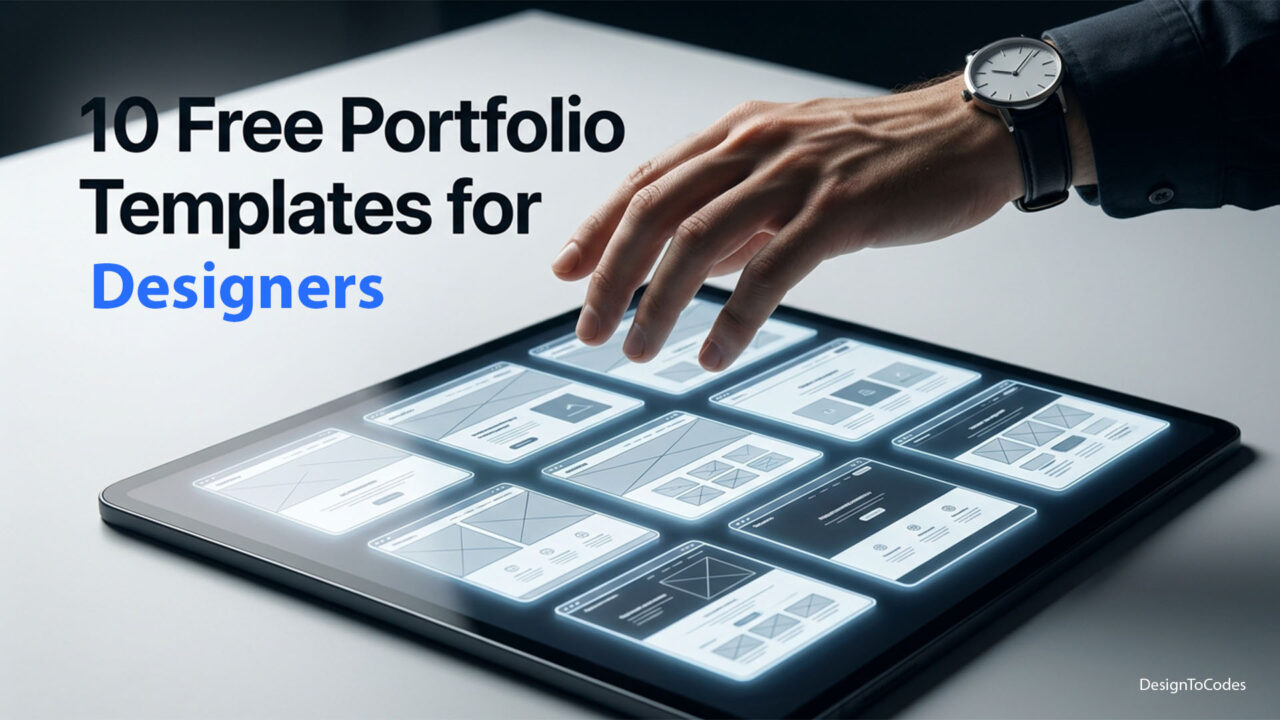
10 Free Portfolio Website Templates for Designers (2026)
Free portfolio website templates have a reputation problem. Half of them resemble 2017, while the other half are blog themes wearing a portfolio costume, and most of them quietly stop working the day a framework version update occurs. The ten free portfolio website templates below are different. They were chosen because they are still maintained in 2026, they are actually free (no “free during signup, paid after a week”), and they ship with the kind of clean code or no-code structure that makes a designer or developer look good when a hiring manager opens DevTools. We curated the best of the DesignToCodes free portfolio lineup and stacked it alongside the strongest free options from the wider ecosystem, allowing you to compare honestly. Pick one, swap your work in, and have a portfolio live before the weekend ends.
This is also the answer to a problem the data shows clearly: free portfolio website templates are one of the most-searched keywords in the design tool space, and most existing roundups are stale. If you are looking for a fresh, 2026-current list — designed by people who actually ship websites — this is it.

Why a Free Portfolio Template Is Often the Right Move
If you are a designer, developer, photographer, or any kind of creative starting, a free portfolio website template is almost always the right move for v1. You spend zero dollars, you get a real production-ready site, and you redirect that budget toward what actually matters early in your career: a custom domain, a few good case studies, and a small number of polished work samples. A fancy custom site is a year-three problem, not a year-zero one. The fastest portfolio is the one that exists.
- Speed to launch: a free template can be live in an evening.
- Lower stakes: v1 mistakes do not cost you a custom-build budget.
- Real-world testing: a live portfolio teaches you what to improve.
- Cleaner pivots: swap templates as your work evolves.
The trick is to pick a free template that does not look free. Every pick below clears that bar. Some are static HTML, some are React or Next.js, some are no-code Framer or Webflow files. Match the template to your skills and your hosting setup.
How We Picked These Free Portfolio Website Templates
We applied four filters. First, the template had to be currently maintained — broken or abandoned templates are out. Second, the visual identity had to feel like a real designer’s portfolio in 2026, not a relic of 2018 web trends. Third, it had to be genuinely free (or freemium with a viable free tier — we will tell you which ones have catches). Fourth, the underlying structure had to be clean: real semantic HTML, accessible navigation, and a layout that works on a phone in landscape, not just portrait. Anything that bombed any of those four checks did not make the list. We also leaned toward templates with a clear point of view — a portfolio that tries to be everything to everyone usually ends up being interesting to nobody.
“A free portfolio template only works if it disappears behind your work. The template is the frame. Your projects are the painting.” — DesignToCodes (concept)
1. NextGenAppsPro — DesignToCodes Free Flagship
Best for: Designers and developers who want a free portfolio template that already feels premium.
Framework: Next.js (production-ready React)
NextGenAppsPro is the free flagship from the DesignToCodes lineup, and it is genuinely worth the click. You get a Next.js codebase with proper App Router structure, server-rendered project pages, and a hero section that looks like it cost a few thousand dollars to design. The template is tuned for case studies — strong typography, generous whitespace, and a project grid that handles both visual and code-heavy work cleanly. There is no upsell tier, no watermark, no “free for 30 days” trap. It is fully free, with the same code-quality bar we apply to our paid templates.
Key features:
- Next.js 14 App Router
- Project case-study layout with media-rich sections
- Built-in dark/light theme toggle
- Vercel-ready deployment
View NextGenAppsPro Free Template
2. Csume — Cybersecurity and Technical Portfolio
Best for: Engineers, cybersecurity specialists, and technical creatives who want a clean, credible portfolio.
Framework: Next.js
Csume is built for technical talent — security engineers, backend developers, infrastructure folks — who want a portfolio that says “I take this seriously” without crossing into the gimmicky. The visual language is restrained, the typography is excellent, and the case-study structure encourages writing a real story about each project rather than dumping screenshots. It is the kind of portfolio that looks great when a hiring manager opens it on a Monday morning. Pair it with a short About page and a clear contact CTA and you have a portfolio that closes interviews.
Key features:
- Technical-friendly typography and code blocks
- Case-study-first layout
- Performance-tuned images
- Clean accessibility defaults
3. ReactProx — React-First Designer Portfolio
Best for: Designers and developers who want a React portfolio with strong motion and a modern feel.
Framework: React (Next.js compatible)
ReactProx is for the designer-developer hybrid — the person who codes their own portfolio, ships their own animations, and wants a starter that respects their taste. The template has thoughtful motion (no parallax for the sake of parallax), a project list that reads like a magazine spread, and components that are easy to extend without rewriting. It is one of the more visually distinctive free options out there and a great fit for anyone with an opinion about Framer Motion.
Key features:
- Framer Motion animations tuned for portfolios
- Magazine-style project layout
- Strong typographic hierarchy
- Component-driven structure
Browse ReactProx and other free D2C templates
4. Templated Portfolio Themes — Honest Open-Source Comparison
Best for: Anyone who wants a static HTML portfolio with no JavaScript framework dependency.
Framework: HTML/CSS
Templated.co has been quietly publishing free, well-coded HTML portfolio themes for years. They are not flashy, but they are reliable, accessible, and load instantly because they are basically static HTML and CSS. If you are a writer, photographer, or anyone whose work is the focus and not the chrome around it, a Templated theme will get out of your way and let your case studies do the talking. The trade-off is that the visual identity is intentionally restrained — these are workshop-grade themes, not designer-famous statements.
Key features:
- Pure HTML/CSS — no JS framework needed
- Genuinely free, MIT-style license
- Accessible markup
- Loads on any host
5. Cruip Free Portfolio Themes — Modern Tailwind Starters
Best for: Designers comfortable with Tailwind who want a free, modern starter.
Framework: HTML + Tailwind, with React variants
Cruip publishes a small number of free portfolio templates with strong design taste and clean Tailwind code. The free tier is more limited than the paid lineup, but what is free is genuinely good — modern type, restrained motion, well-spaced sections. Look for the portfolio templates specifically; the SaaS landing pages are also tempting but solve a different problem. Cruip files are particularly easy to drop into an existing Next.js app if you want the design without the framework lock.
Key features:
- Tailwind-first markup
- Light/dark mode out of the box
- Modern typography
- Responsive across breakpoints
Build a portfolio that does not look free
NextGenAppsPro is the production-ready free flagship from the DesignToCodes library — Next.js, App Router, premium feel. Zero cost, lifetime access.
6. HTML5 UP Portfolio Themes — Battle-Tested Classics
Best for: Beginners who want a portfolio online by tomorrow morning.
Framework: HTML/CSS
HTML5 UP has been giving away clean, responsive HTML portfolio themes since the early 2010s, and several of them have aged surprisingly well. The visual style is more conservative than the D2C lineup, but they are bullet-proof, well-documented, and free under a Creative Commons license. We recommend them for absolute beginners — you can be live on Netlify or GitHub Pages in an hour. As a bonus, the no-build setup means you will never wake up to a framework upgrade headache; the same theme that worked five years ago still works today.
Key features:
- Pure HTML/CSS
- Responsive on every device
- Creative Commons license (attribution required)
- Decade-plus track record
7. Astro Portfolio Starters — The Performance Pick
Best for: Performance-obsessed designers who want a Lighthouse 100 portfolio.
Framework: Astro
Astro is the framework that ships almost no JavaScript by default, which makes it perfect for portfolios where the work is the focus and the framework should disappear. There are several free Astro portfolio starters on GitHub from notable maintainers. They take a little more comfort with the terminal than a Framer or HTML template, but the result is a portfolio that scores 100/100 on Lighthouse without trying. Pair with a Markdown-based case-study system, and you have a portfolio you will not need to redesign for years.
Key features:
- Zero-JS by default
- Markdown content collections
- Lighthouse-friendly out of the box
- Simple deploy on Vercel, Netlify, Cloudflare
If you like the Astro idea, our Tripvanta Astro template shows how the framework feels in a real production setting.
8. Notion-Powered Portfolios via Super or Potion — No-Code Pick
Best for: Writers and creatives who want to manage everything in Notion.
Framework: Notion + Super or Potion (free tiers)
This one is a slight cheat — it is a “free tier” rather than a fully free template — but the free tiers of Super and Potion let you turn a Notion workspace into a portfolio site at zero cost for personal use. The look is clean, content management is unbeatable for writers, and there is nothing to install. The trade-off: you do not own the rendering layer, and customization is limited compared to a real template. For writers and operators who already live in Notion, it is the lowest-friction option on this list.
Key features:
- Notion as the CMS
- Custom domain on most free tiers
- Mobile-responsive automatically
- Zero learning curve for Notion users
9. Framer Free Portfolio Templates — No-Code Modern
Best for: Designers who already use Framer and want a polished portfolio for free.
Framework: Framer
Framer’s community has published a strong set of free portfolio templates. Some are basic, but the well-rated ones are competitive with paid templates from other tools. The catch is Framer’s hosting cost once you go custom domain — the template is free, but Framer’s published-site tier requires a paid plan for a custom domain. If you are okay with publishing on a Framer subdomain, it is fully free, and you can ship today. If you want a custom domain, factor in the Framer subscription. For designers comfortable in Framer, the time-to-launch is the shortest of any option here.
Key features:
- No-code editing in Framer
- Strong motion presets
- Mobile-responsive components
- Free template, paid hosting for a custom domain
For more on the Framer ecosystem, see our Framer template library.
10. Webflow Free Cloneables — Designer-Famous Files
Best for: Designers who already use Webflow and want a head start from a known author.
Framework: Webflow
Webflow’s “Made in Webflow” library is full of free, cloneable portfolios from well-known designers. Some are gorgeous, some are showy. The best ones are clear about what they do well — a strong type system, a tight grid, a coherent motion language — and skip the visual fireworks. As with Framer, the template is free but Webflow’s hosting tier costs money for a custom domain. Pair this with a long view: Webflow is great until the moment you outgrow it; if you plan to migrate to Next.js eventually, start with one of the D2C Next.js options instead.
Key features:
- Strong design taste from named authors
- Full Webflow CMS
- Free template, Webflow hosting for a custom domain
- Easy clone-and-edit workflow
Free Portfolio Website Templates Comparison Table
| Template | Framework | Best For | Custom Domain Cost | Truly Free? |
|---|---|---|---|---|
| NextGenAppsPro | Next.js | Premium-feeling free | Free on Vercel | Yes |
| Csume | Next.js | Technical creators | Free on Vercel | Yes |
| ReactProx | React | Designer-developers | Free on Vercel | Yes |
| Templated themes | HTML/CSS | Static-only fans | Free on any host | Yes |
| Cruip free | Tailwind/HTML | Tailwind users | Free on any host | Yes (limited) |
| HTML5 UP | HTML/CSS | Beginners | Free on any host | Yes |
| Astro starters | Astro | Performance fans | Free on Vercel | Yes |
| Notion + Super/Potion | Notion-based | Writers | Some free tiers | Freemium |
| Framer free | Framer | Framer designers | Paid for custom | Freemium |
| Webflow cloneables | Webflow | Webflow designers | Paid for custom | Freemium |
How to Choose Your Free Portfolio Template
Three quick filters cut through the choice. First, what do you already know? If you are comfortable with React, the Next.js options (NextGenAppsPro, Csume, ReactProx) give you the most ceiling. If you live in Notion or Webflow, lean into those. Second, do you need a custom domain at zero cost? The D2C Next.js templates and HTML/Astro options can all run free on Vercel, Netlify, or Cloudflare Pages with a custom domain. Framer and Webflow free templates require a paid plan for a custom domain.
Third, what is your work? If you are a writer or a research-heavy designer, lean into a content-first template (Csume, Astro starters, or a Notion site). If your work is visual — photography, motion, illustration — pick a template with strong gallery layouts (NextGenAppsPro, ReactProx, the better Framer files). And if you are a developer applying for engineering roles, Csume is purpose-built for the brief; pair it with a clean GitHub README, and you have an interview-ready package.
“The portfolio template you actually launch beats the perfect template you never finish.” — DesignToCodes (concept)
Customization Tips That Make a Free Template Feel Premium
Once you have picked a template, the difference between “this looks free” and “this looks expensive” is usually four small moves. First, swap the default font. Inter is fine, but a paid font from a quality foundry instantly raises the visual ceiling. Second, replace stock photography with your own work — even imperfect real photos beat polished stock. Third, write your own copy. Most free templates ship with placeholder copy that screams “template,” and rewriting even five sections in your own voice transforms the feel. Fourth, give yourself a recognizable accent color and use it sparingly. A single coherent brand color across links, buttons, and active states is the single biggest perceived-quality lift you can do in an afternoon.
Beyond those four, the operational hygiene matters. Add a sitemap, an OpenGraph image per page, and a clean 404. Run Lighthouse on your deployed site, not localhost, and fix anything below 90. Test your portfolio on a real phone in real light — the mobile experience is what most hiring managers see first.
Internal Resources to Pair With Your Portfolio
Once your portfolio is live, the next questions are usually about ranking and conversion. The Next.js SEO 2026 deep dive is the right next read if you went the Next.js route. The Framer vs Webflow vs WordPress 2026 comparison is the right read if you are still picking a builder. And if you are a designer thinking about your next paid project, browse our broader Next.js library, the WordPress collection, or the lean free templates category.
For designers branching into adjacent industries, you might also like the case studies in Pureglamy (clean service-business design) or Medureon (medical-grade information architecture). Both demonstrate how a strong template structure carries a brand without overpowering it.
Conclusion: Pick One Free Portfolio Template and Ship Tonight
Free portfolio website templates have come a long way. The lineup above gives you ten realistic, currently maintained, genuinely free or freemium options across every framework — Next.js, React, Astro, Framer, Webflow, Notion, and good old static HTML. The best move is the one most designers avoid: pick the template that matches your skill level, swap your work in tonight, and put it on the internet before the perfectionism creeps back. Your portfolio’s job is to exist and be findable. NextGenAppsPro is our free flagship pick if you want a premium feel without writing a check; the marketplace alternatives are honest comparisons if our build is not the right fit. Either way, ship.
Frequently Asked Questions
Q1. Are these free portfolio website templates actually free?
Eight out of ten are fully free with no catches. Framer free templates and Webflow free cloneables require a paid plan for a custom domain — we have flagged that clearly in the table above.
Q2. Can I use a free portfolio template for client work?
Yes, for most. The DesignToCodes free templates are licensed for personal and commercial use. HTML5 UP requires attribution. Always check the specific license file before using a template for a paid client project.
Q3. Do I need to know how to code to use these?
The Notion, Framer, and Webflow options are no-code. The HTML and Astro options are friendly to beginners. The Next.js options assume you can run npm install and edit React. Pick what matches your comfort level.
Q4. Where do I host a free Next.js portfolio template?
Vercel’s free tier is the smoothest answer. Netlify and Cloudflare Pages are equally good free options. All three support custom domains at no cost.
Q5. How do I customize the look of NextGenAppsPro?
The template uses a Tailwind-based theme with editable design tokens. Change the color palette, swap fonts, and update copy in a single config file before redeploying.
Q6. Will a free portfolio website template hurt my SEO?
Not if it is well-coded. Every template on this list has clean semantic markup. The Next.js and Astro options are especially strong on Core Web Vitals, which is a ranking signal.
Q7. Can I add a blog to a free portfolio template?
Yes. The Next.js options support MDX or a headless CMS like Sanity. The Notion and Webflow options have built-in blog systems. The HTML templates can be paired with a static site generator for blogging.
Q8. How do I make sure my portfolio looks good on mobile?
Every template here is mobile-first by default, but always test on a real phone before going live. The D2C templates ship with breakpoints tested on iOS and Android.
Q9. Are there any premium upgrades worth considering after launching for free?
Yes. Once you have client work coming in, premium templates from the D2C Next.js library add stronger booking flows, member areas, and case-study layouts.
Q10. How often should I refresh my portfolio?
Refresh content quarterly. Refresh design every 18 to 24 months unless you are clearly outdated. The right free portfolio template should hold up visually for at least two years.